
Offline Appointment Scheduling for Sales Teams Using
MS Dynamics 365 CRM
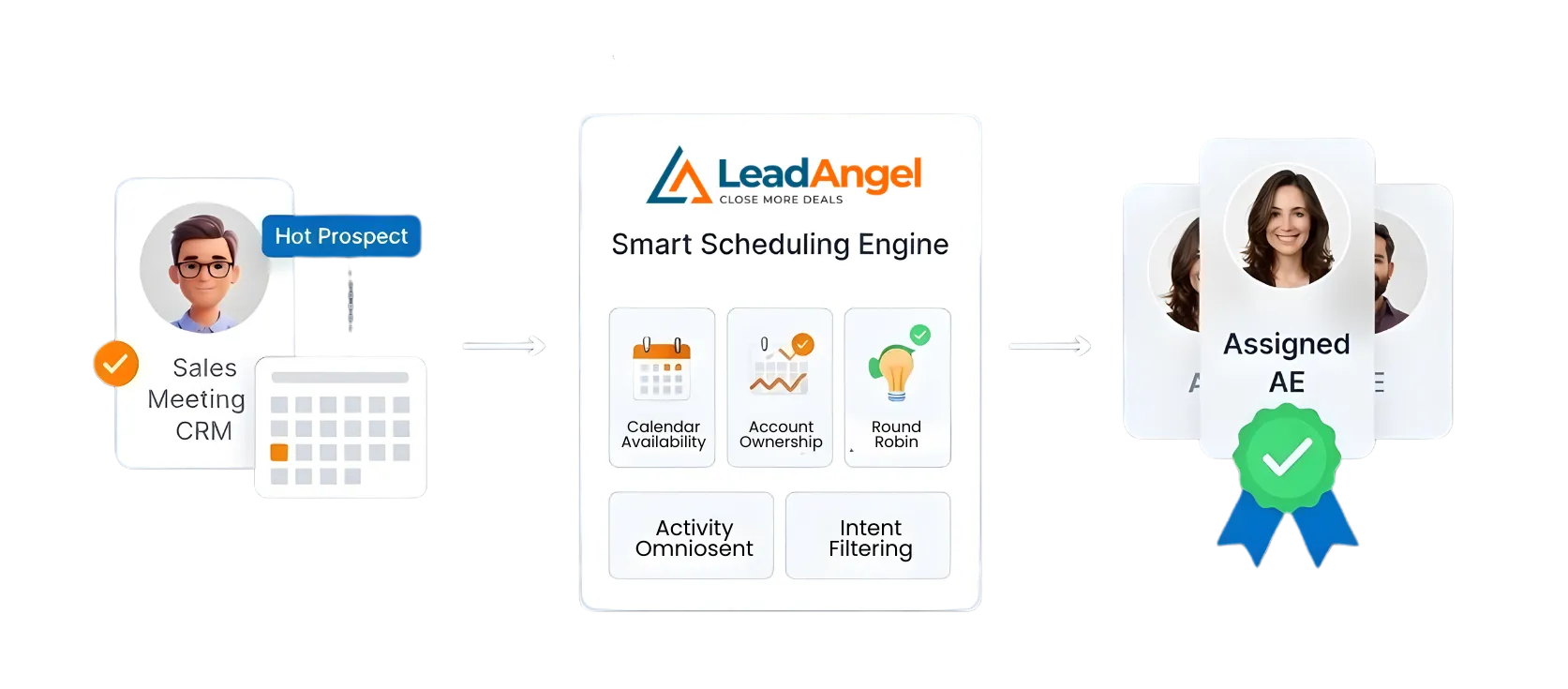
Offline appointment scheduling in MS Dynamics 365 CRM means ownership is finalized and enforced before a meeting is booked. Meetings are also booked even when scheduling happens outside Dynamics 365. Because scheduling isn’t inherently tied to ownership. LeadAngel closes the gap by locking the correct Account Executive first. And it makes sure every meeting follows CRM assignment rules.
10 + Years
Enterprise Lead Management Expertise
Up to 40% Lift
Lead Conversion Improvement
95%
lead engagement in 2 minutes or less
Structural gaps in SDR → AE handoffs in Microsoft Dynamics 365 Scheduling
Microsoft Dynamics 365 CRM defines leads, contacts, accounts and opportunities ownership through rules, territories, and queues. But meeting scheduling runs separately, driven by calendar availability, not CRM logic. This disconnect creates repeatable handoff breakdowns. When SDRs book meetings earlier than ownership is finalized, AEs get misrouted meetings. And qualified leads stall or leak from the pipeline.
1
SDR-to-AE Mapping Is Not Enforced
Dynamics does not natively map SDRs to specific AEs for scheduling. SDRs often guess, ask managers, or book whoever is free.
2
Scheduling Happens Outside Ownership Logic
Meetings are usually booked through Outlook, Microsoft Bookings, or third-party tools. They prioritize open calendars over correct lead ownership.
3
Assignment Rules Run After the Fact
Dynamics assigns owners based on workflows, queues, or business rules. But these rules trigger after records are created or updated, not at booking time.
4
Capacity and Load Are Invisible
Calendars show availability, but not workload, SLAs, or daily limits. High performers get overloaded while others stay underutilized.
5
Reassignments After Booking Are Common
Ownership corrections happen after meetings are booked. This leads to reschedules, confusion, and revenue-impacting buyer friction
Fix SDR-to-AE Scheduling in Microsoft Dynamics 365 CRM
No more “Who owns this meeting?” moments.
How It Works
How LeadAngel’s Offline Scheduling Works with Microsoft Dynamics 365 CRM
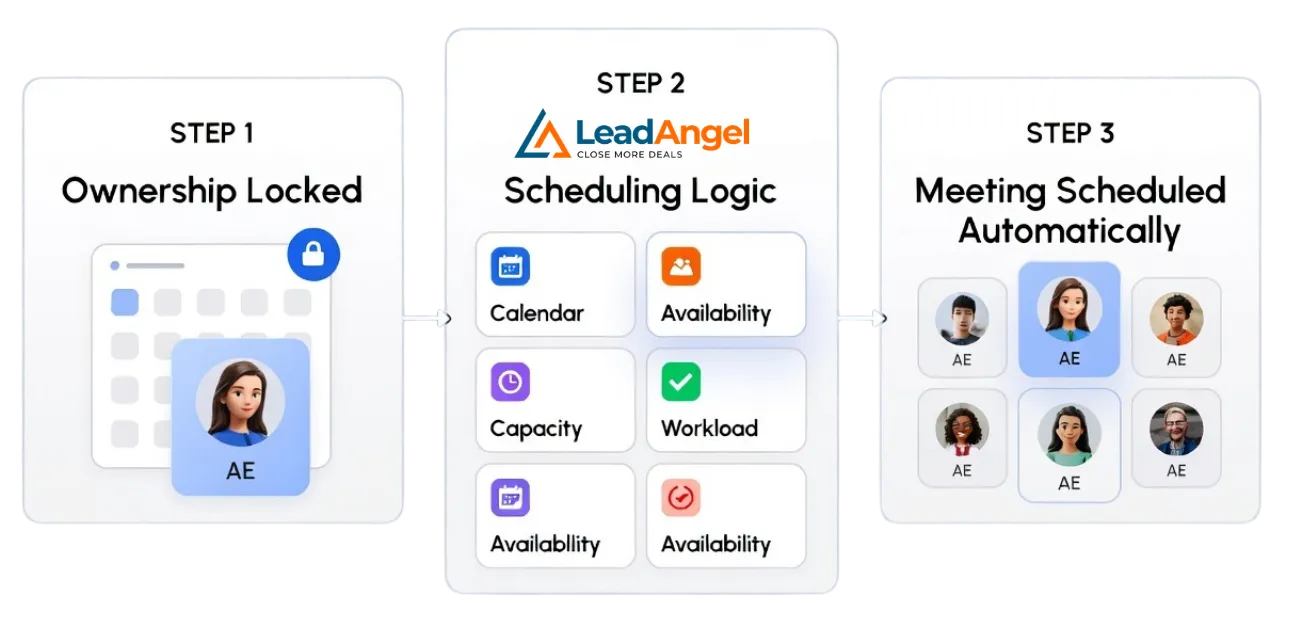
With LeadAngel, sales teams define clear SDR-to-AE ownership before meetings are scheduled. LeadAngel checks Microsoft Dynamics data, applies routing and mapping rules, and identifies the correct Account Executive first. Only after ownership is confirmed does scheduling take place, keeping handoffs accurate and consistent.
How Offline Scheduling Fits into Microsoft Dynamics
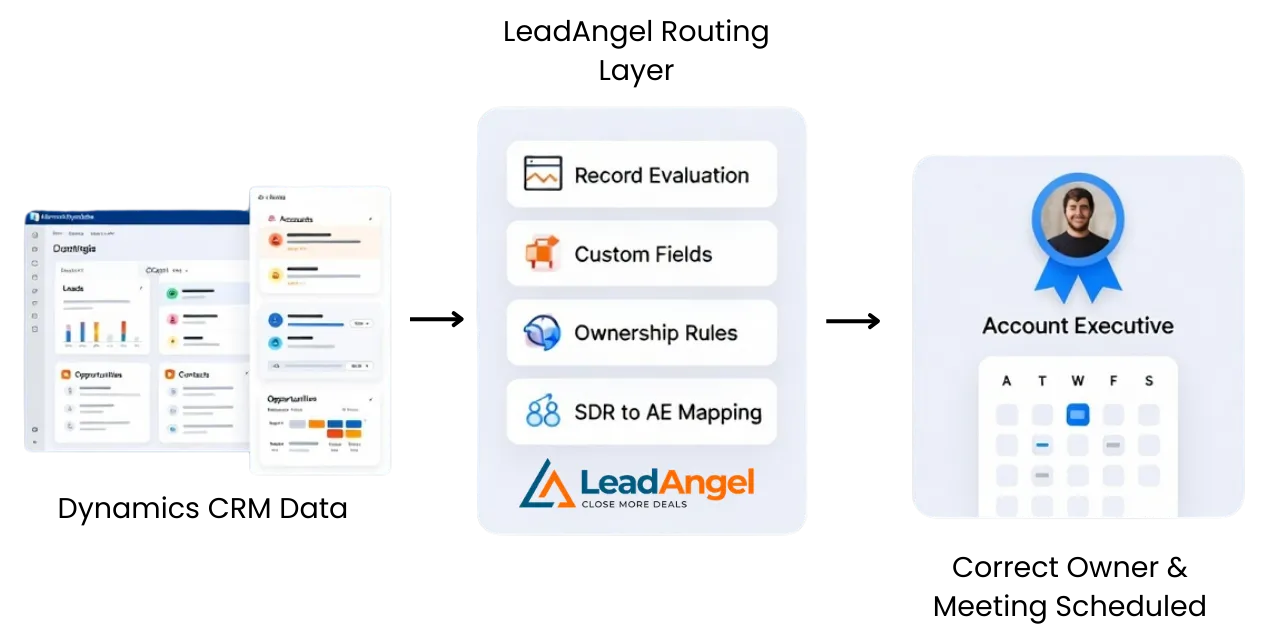
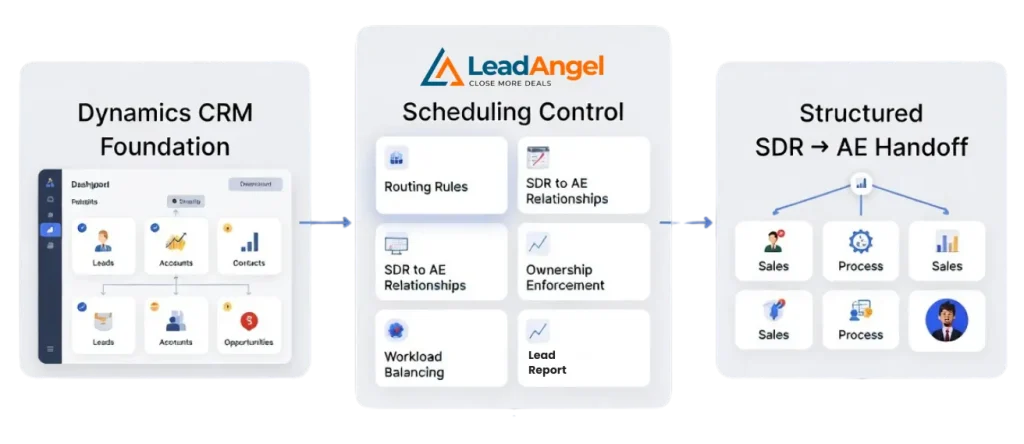
LeadAngel adds a routing and ownership enforcement layer on top of Dynamics 365.
- Dynamics continues to manage leads, accounts, contacts, and opportunities
- LeadAngel evaluates records using Dynamics data and custom fields
- Ownership and SDR → AE mapping are finalized before scheduling begins
The right owner is chosen first, then the meeting is scheduled.
How SDR → AE Mapping Works in Dynamics 365 CRM
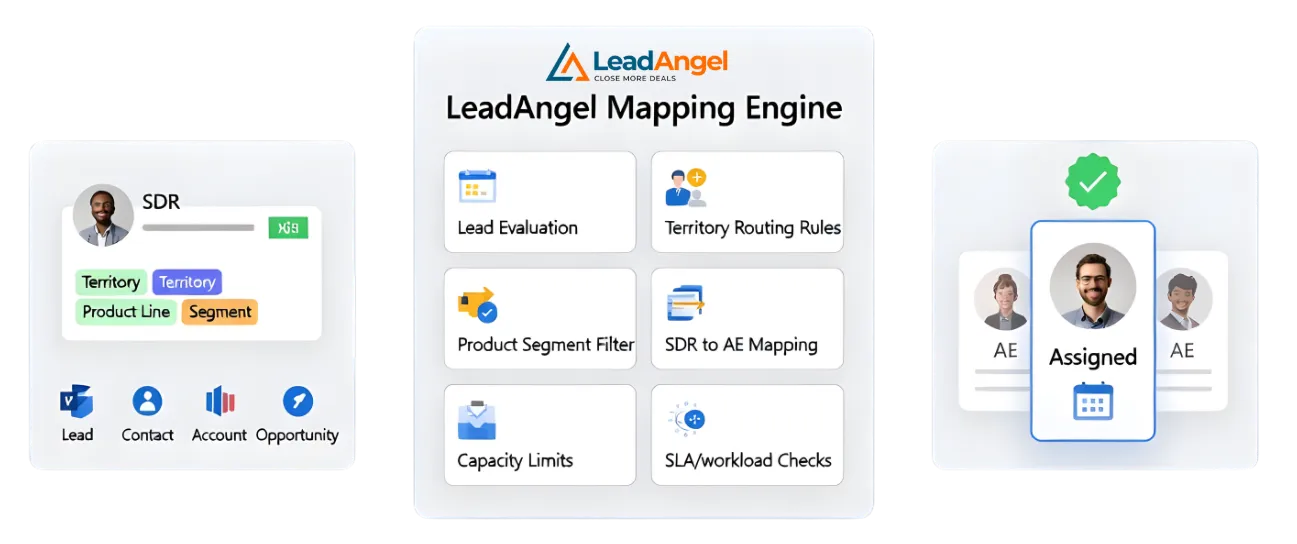
When an SDR qualifies a lead:
- LeadAngel evaluates the lead, contact, account and opportunities in Dynamics 365
- Routing rules check territory, product line, segment, and custom ownership fields
- SDR-to-AE mapping rules determine which AE this SDR can book for
- Capacity limits, SLAs, and workload thresholds are applied
- The correct AE is reserved, even if scheduling happens later
There’s no need to look up owners or double-check assignments.
What Happens When Scheduling Is Initiated
When it’s time to book:
- The meeting is tied to the pre-approved AE
- Calendars are checked only after ownership is locked
- If the AE is unavailable or at capacity:
- The meeting is queued, reassigned, or delayed automatically
- CRM ownership and calendar booking stay in sync
How Offline Scheduling Stabilizes Handoffs
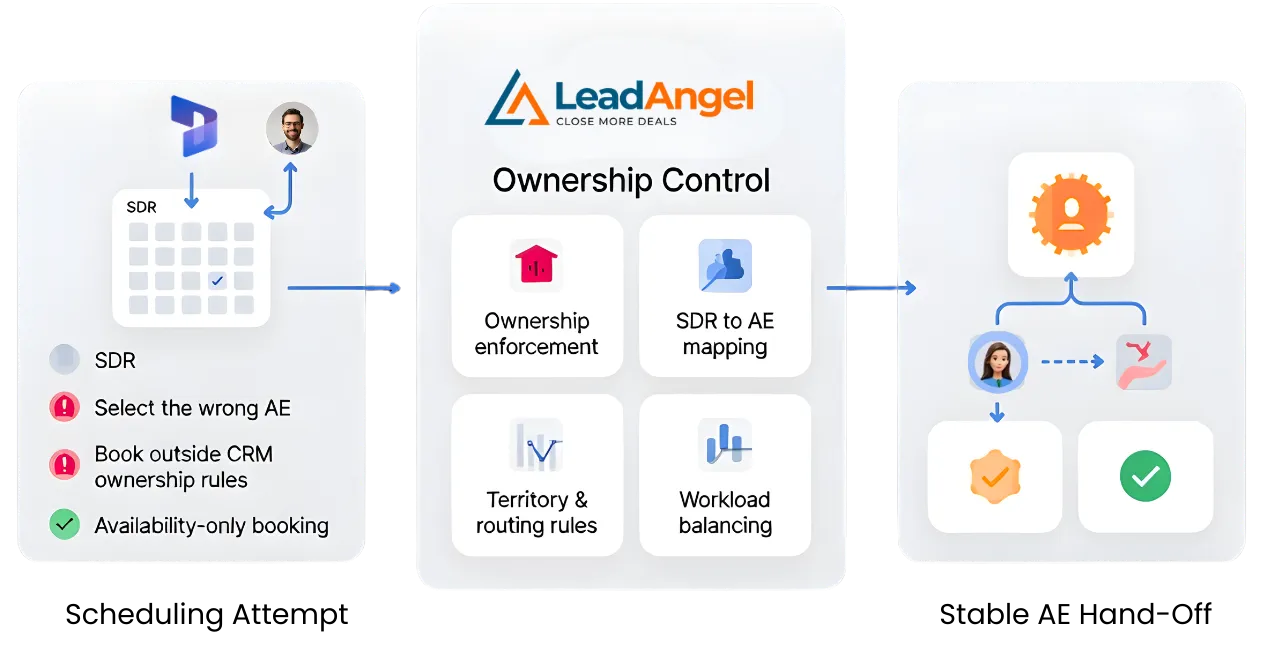
This process prevents:
- Meetings booked outside Dynamics ownership rules
- SDRs are scheduling the wrong AE
- Overloaded reps due to availability-only booking
- Manual AE reassignment after meetings are booked
- Broken handoffs between SDR qualification and AE follow-up
Ownership stays consistent from CRM to calendar.
Why This Approach Works for Microsoft Dynamics
Dynamics is excellent at data, hierarchy, and ownership models.
But it does not control scheduling order or enforcement.
LeadAngel fills that gap by:
- Applying Dynamics routing rules before scheduling
- Enforcing SDR → AE relationships
- Balancing workload beyond simple availability
Together, MS Dynamics 365 + LeadAngel support structured, scalable SDR-to-AE handoffs, without relying on real-time calendar decisions.
Comparison
Offline Scheduling Comparison for Microsoft Dynamics
Compare scheduling in Microsoft Dynamics with and without offline scheduling.
| Area of Control | Dynamics Native Behavior | Calendar / Booking Tools | LeadAngel Offline Scheduling |
|---|---|---|---|
| Assignment timing | After record creation | Outside CRM | Before booking |
| SDR → AE mapping | Manual or implicit | Not supported | System-enforced |
| Territory & account context | Post-assignment | Ignored | Always applied |
| Booking without live availability | Not supported | Not supported | Fully supported |
| Workload awareness | None | Availability only | Capacity + SLA-based |
| Risk of reassignment | High | Medium | Eliminated |
| CRM accuracy after booking | Moderate | Low | High |
| SDR coordination effort | High | Medium | Minimal |
| Fit for complex sales orgs | Limited | Limited | Built for scale |
Get started
Ready to supercharge your business?
Grow sales and stay ahead in the competitive market by being among the first to benefit from our game-changing solutions.
Read Our Blogs

Leads are the foundation of every growing business. Why? Because speed matters, 78% of deals go to the first responder.

Bad B2B data isn’t just annoying.It’s expensive. It slows down sales.Confuses marketing.And quietly kills revenue. Which is why so many

You’ve explored plenty of tools before, and you know how overwhelming it feels to choose the right one (or even

We used to think our CRM issues were just part of the job: slow pipeline updates, missed follow-ups, and messy

Your round robin lead assignment system is not just a routing rule but a critical engine behind how your sales

Multiple Sales Reps Working on the Same Lead is Disastrous. It rarely starts as a visible problem. A lead enters
Fequently asked questions

No. Dynamics does not natively control scheduling based on ownership or routing logic.
LeadAngel enforces explicit SDR → AE rules using Dynamics fields, territories, and custom logic.
Yes. Meetings can wait until the right AE is available, without losing ownership context.
Yes. Routing, round robin, weighting, and exclusions all apply before booking.
Absolutely. Capacity, availability, and workload thresholds are enforced automatically.
Offline scheduling means meetings are booked only after the correct record owner is identified in Dynamics. Ownership is resolved first; calendar booking happens later. No availability-first booking.
Dynamics defines ownership using rules like account, territory, or custom fields. SDR-to-AE mapping assigns the lead to the correct AE based on those rules—not calendar availability.
No. Native Dynamics scheduling tools do not enforce ownership before a meeting is booked.
LeadAngel sits between Microsoft Dynamics 365 and scheduling tools. It resolves lead-to-account matching, applies SDR-to-AE routing, locks the correct owner, and then allows scheduling, ensuring bookings always follow Dynamics ownership logic.