
A Better Microsoft Dynamics 365 CRM Scheduling Solution
Built for Microsoft Dynamics 365 revenue teams, LeadAngel gives your team the control needed to manage sales calls, demos, partner meetings, and more, without manual effort or scheduling chaos.
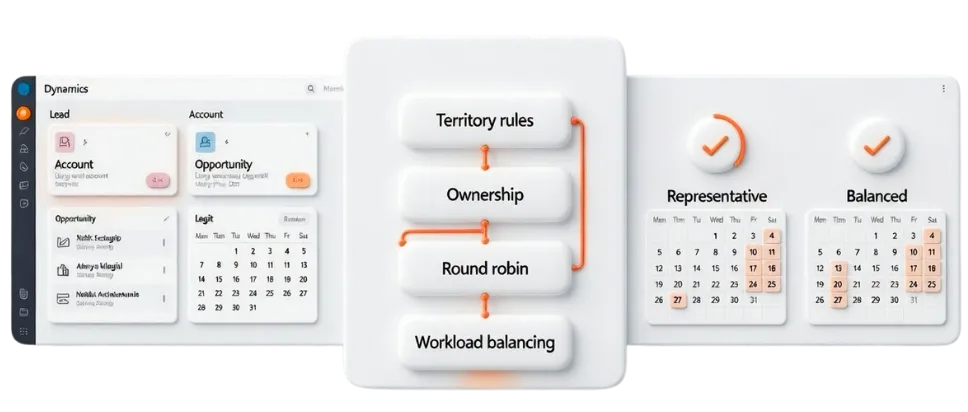
Why Choose LeadAngel Instead of the Microsoft Bookings App?
Microsoft Bookings is designed for straightforward reservations. It does not account for ownership rules, sales territories, capacity limits, or complex team structures.
LeadAngel applies routing intelligence and workload controls before a booking is confirmed, reducing manual effort, minimizing errors, and improving response speed. Used by growing and global organizations for over a decade, LeadAngel supports scalable Dynamics 365 scheduling without forcing licensing upgrades or fragile workarounds.
1
Simplified Team and Resource Management
Microsoft Bookings restricts how staff and services are organized within a booking calendar. LeadAngel removes this friction by assigning meetings dynamically based on ownership, territory, role, or custom logic, without manually managing staff lists or maintaining multiple booking pages.
2
Prevent Overbooking and Team Burnout
Microsoft Bookings relies on static availability and time-slot controls, but it does not offer a native way to cap total appointments per day. LeadAngel actively enforces capacity limits and balanced distribution, ensuring calendars don’t exceed daily thresholds, response times stay fast, and teams avoid overload.
3
Reusable Scheduling Logic Without Rework
Creating new services or calendars in Microsoft Bookings often requires repeating the same setup steps. LeadAngel allows teams to reuse and clone routing and scheduling logic, enabling faster rollout of new workflows, regions, or teams, without introducing inconsistencies or setup errors.
4
Advanced Scheduling Without License Dependency
Full Microsoft Bookings functionality depends on Microsoft 365 Business licensing and calendar configuration. LeadAngel delivers advanced scheduling, routing, and workload balancing without requiring organization-wide license upgrades, helping teams scale while keeping costs under control.
5
Scheduling That Works Beyond the Microsoft Ecosystem
Microsoft Bookings is tightly bound to the Microsoft ecosystem. LeadAngel works across calendars and conferencing tools like Google Calendar and Zoom, while applying the same routing, ownership, and capacity rules—so teams can schedule consistently, even across mixed tech stacks.
6
Faster Deployment With Built-In Safeguards
Configuring advanced scheduling in Microsoft Bookings often requires ongoing manual tuning. LeadAngel includes predefined logic and guardrails that reduce misassignments, protect rep capacity, and keep scheduling consistent, even as rules and volume increase.
How It Works
How LeadAngel Scheduling Works With Microsoft Dynamics
LeadAngel works alongside Microsoft Dynamics to turn routing logic into booked meetings. Every lead is evaluated, aligned to the right account, and assigned to the best-fit rep before any calendar is touched.
Dynamics 365 Appointment Scheduling With Built-In Intelligence
LeadAngel adds an intelligent decision layer to Microsoft Dynamics 365 scheduling.
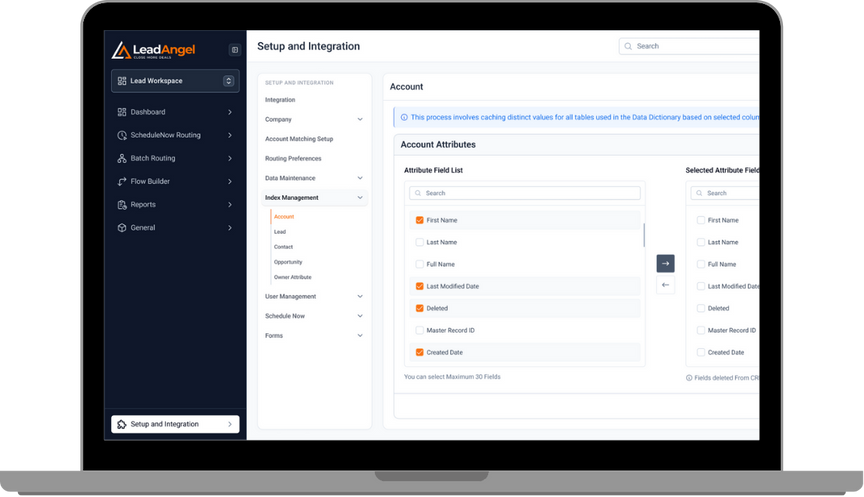
Microsoft Dynamics continues to manage CRM records, users, ownership, and calendars. LeadAngel works behind the scenes to evaluate booking requests using CRM data, routing logic, and workload limits, before any appointment is confirmed.
Dynamics remains the system of record. LeadAngel ensures scheduling decisions follow business rules, not just availability.

How Microsoft Dynamics 365 Scheduling Decisions Are Made
When a meeting, service request, or workspace booking is initiated:
- The related lead, contact, account or opportunity is identified in Microsoft Dynamics 365
- Buying signals, ownership, and account context are evaluated
- Eligibility rules check territory, role, product alignment, or service type
- Capacity controls enforce daily limits and fair distribution
- Real-time availability is validated
- The booking is assigned to the correct user or resource
- The appointment is synced to the appropriate calendar
If no eligible owner meets the criteria, the booking is automatically redirected, queued, or reassigned, without manual intervention.

Eliminating Common Dynamics Scheduling Breakdowns
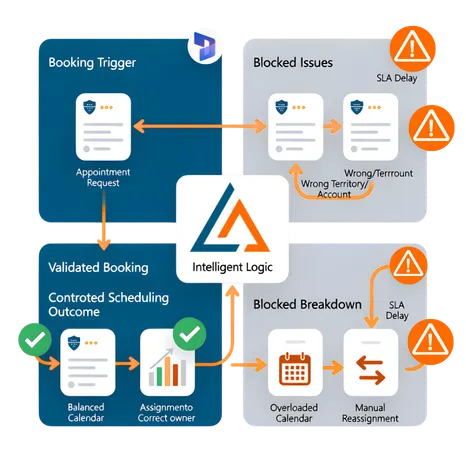
By applying logic before confirmation, LeadAngel prevents:
- Appointments routed outside the account or territory ownership
- Calendar congestion caused by uneven meeting distribution
- Manual reassignment after bookings are already created
- Missed SLAs and delays between sales, service, and operations teams
Scheduling remains predictable and controlled as demand volume grows.
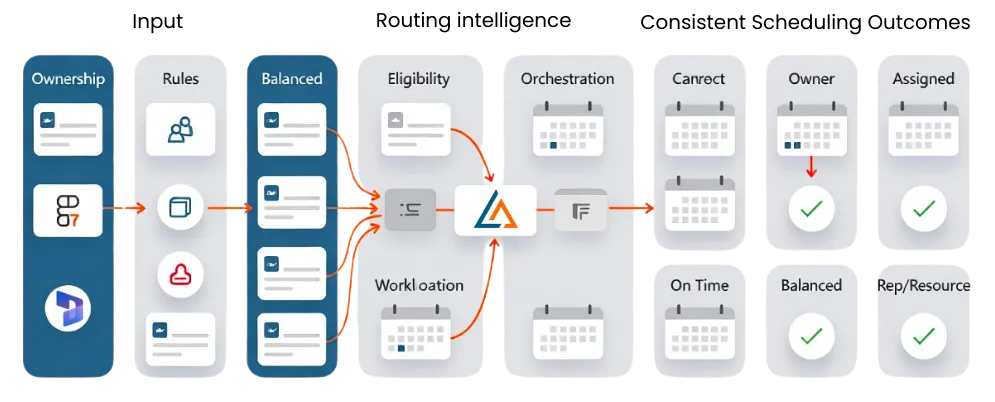
Consistent Scheduling Outcomes Across Dynamics Teams
Once LeadAngel is in place:
- Appointments follow Dynamics ownership, routing, and eligibility rules
- Workloads stay balanced across reps, agents, and shared resources
- Response times improve without disrupting calendars
- Exceptions, overrides, and manual fixes are significantly reduced
Bookings consistently land with the right owner at the right time.
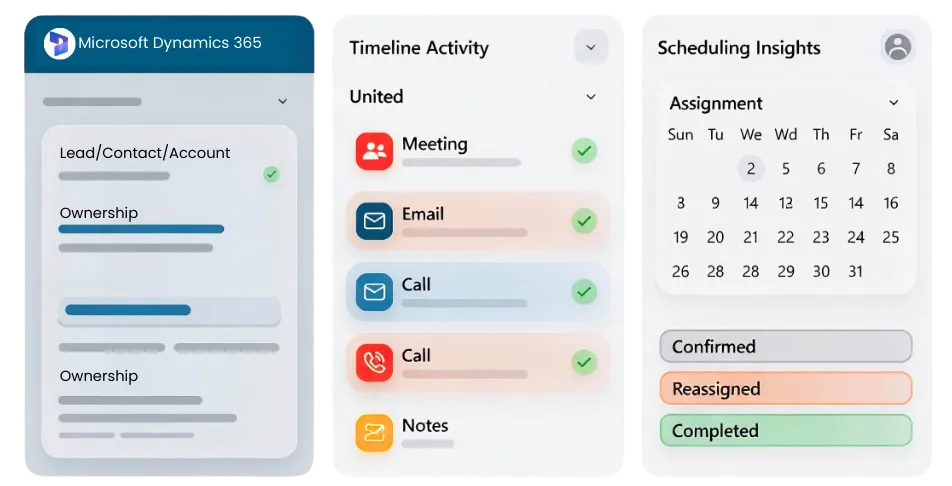
Centralized Visibility Inside Microsoft Dynamics 365
All scheduling activity managed by LeadAngel is reflected directly in Microsoft Dynamics 365.
Meetings, ownership changes, and booking outcomes are recorded against the relevant lead, contact, or account—along with emails, calls, and notes already captured in Dynamics. Sales teams can see full interaction history in one place, without switching tools or reconciling data.
This centralized view helps teams avoid duplicate outreach, maintain accountability, and give managers a clear picture of pipeline health and scheduling performance.
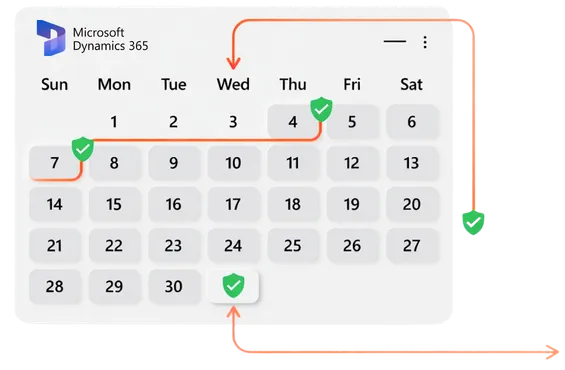
Your Dynamics calendar might look clear…until leads get misrouted.
LeadAngel keeps appointments smart, synced, and stress-free.
Under the Hood of Dynamics: Comparing Native Scheduling and LeadAngel Logic
Use this table to quickly compare scheduling behavior across solutions, based on how well each supports real-world Dynamics workflows.
| Workflow Area | Microsoft Bookings | LeadAngel Scheduling for Dynamics 365 |
|---|---|---|
| Rule Enforcement Logic | After booking (manual correction) | Before booking (system-enforced) |
| Ownership Stability | Can change during booking | Locked based on Dynamics rules |
| SLA Alignment | External tracking required | Built-in routing and reassignment logic |
| Audit & Traceability | Limited booking context | Full decision trace from CRM data |
| Error Detection | Discovered after booking | Prevented before confirmation |
| Scheduling Trigger | Time-slot–based booking creation | Event creation is gated by CRM validation |
| Multi-Team Coordination | Separate calendars per team | Centralized logic across teams |
Get started
Ready to supercharge your business?
Grow sales and stay ahead in the competitive market by being among the first to benefit from our game-changing solutions.
Read Our Blogs

Your sales pipeline is no longer just a tracking system. It is the backbone of how revenue moves. Today’s buyers

Today’s best data cleansing software goes far beyond basic cleanup. It uses AI to detect issues, automate fixes, and standardize

Revenue teams today use many tools. Nearly 70% of B2B teams say their data is still siloed across systems. Pipeline

Sales today isn’t just about reaching out; it’s about reaching the right prospects at the right time with the right

Leads are the foundation of every growing business. Why? Because speed matters, 78% of deals go to the first responder.

Bad B2B data isn’t just annoying.It’s expensive. It slows down sales.Confuses marketing.And quietly kills revenue. Which is why so many
Fequently asked questions

Set each member’s working hours in Microsoft Bookings. Those hours define what customers can book.
Yes. Block the time in your Outlook calendar. Bookings will treat it as unavailable.
Bookings prevent double-booking by default. If a conflict exists, that slot won’t be offered.
Yes. Configure service availability and business hours. Only those windows will appear.
Bookings uses your organization’s time zone for setup. Customers typically see times in their local time zone.
Set the minimum notice or lead time for the service. That limits how close to the appointment changes can be made.
Yes, if you set a minimum notice period. Without it, last-minute cancellations are allowed.
Yes. Bookings sends update emails and calendar updates to staff and the customer.