
Smarter Appointment Scheduling for Salesforce Sales Teams
Book more meetings, faster. LeadAngel gives your prospects in Salesforce a seamless way to schedule a meeting with your team, eliminating delays and accelerating engagement across your Salesforce funnel.
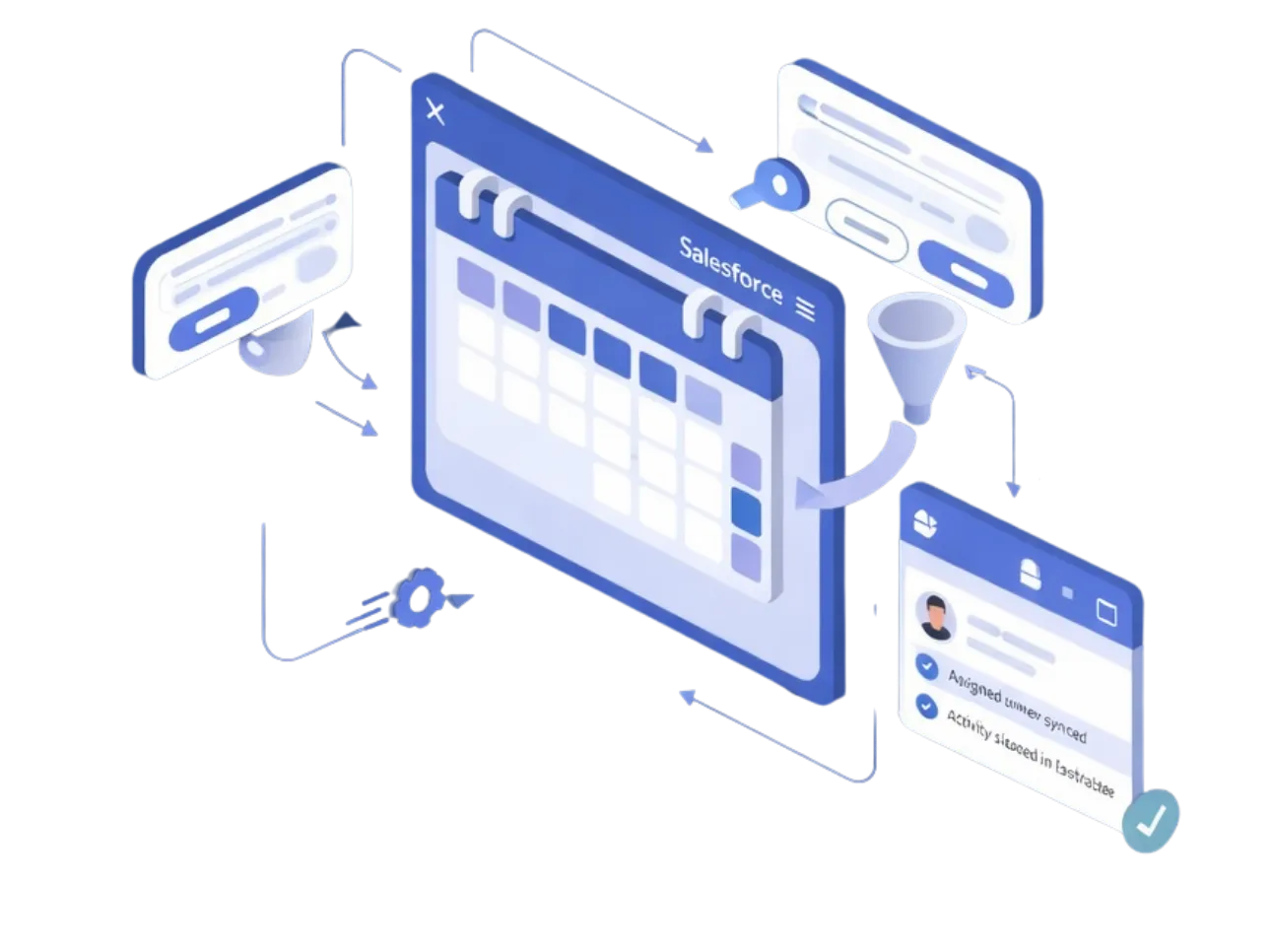
Salesforce Context Built Into Online Appointment Scheduling
Every inbound meeting is scheduled with full Salesforce context. When a prospect submits a form or enters through an inbound channel in Salesforce, lead details, routing rules, and ownership are evaluated instantly, so meetings are booked with the right rep, backed by the right data.
Native Calendar Scheduling for Salesforce Forms
Salesforce appointment scheduling software works directly with forms and inbound lead flows. As soon as a form is submitted, qualified prospects can schedule meetings in Salesforce without leaving the experience, eliminating delays between lead capture and first conversation.
Calendar Scheduling for Inbound Leads in Salesforce
Inbound leads don’t wait, and neither should your scheduling. Calendar scheduling for inbound leads in Salesforce happens in real time, allowing prospects to book meetings immediately after assignment. No follow-up emails. No manual coordination. Just faster conversations.
CRM-Driven Availability Logic
Calendar or appointment scheduling in Salesforce isn’t based on static calendars alone. Salesforce data, such as lead status, owner, territory, or priority, drives who appears as available. This ensures appointments are aligned with Salesforce rules, not just open time slots.
Automatic Activity Capture in Salesforce
Every scheduled meeting is automatically recorded against the Salesforce lead or contact. Activities, ownership, and engagement history stay up to date without manual logging, giving sales teams complete visibility from first touch to booked meeting.
Built for High-Velocity Inbound Sales
Designed for teams handling high inbound lead volume, this Salesforce appointment scheduling software scales effortlessly. Whether leads come from web forms, campaigns, or integrations, meetings are scheduled instantly and consistently, without breaking Salesforce workflows.
Where Salesforce Native Scheduling Falls Short and How LeadAngel Fills the Gap
Salesforce scheduling gets the meeting on the calendar. Scaling that process takes more. LeadAngel brings order with smart matching, clean data, and the right rep on every invite.
Instant meeting booking inside Salesforce
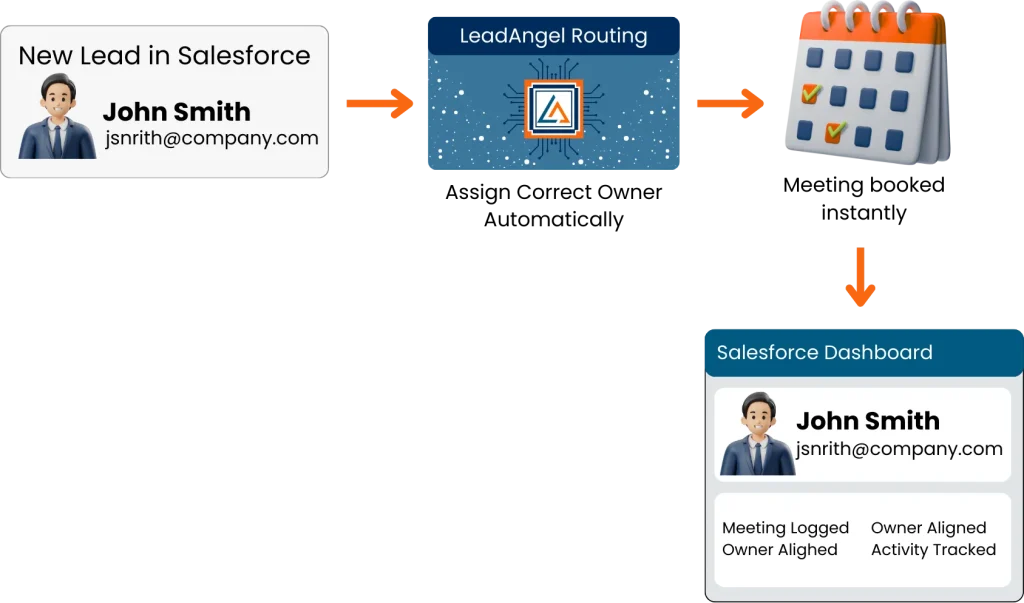
Appointment scheduling with Salesforce often requires extra steps or external handoffs. LeadAngel enables meeting booking to be configured directly within Salesforce leads and routing flows. After a lead is assigned in Salesforce, prospects can book a meeting using the assigned owner’s real-time calendar availability. The meeting is then recorded on the Salesforce lead or contact, keeping activity, ownership, and engagement fully aligned inside Salesforce.
Real-time availability sync
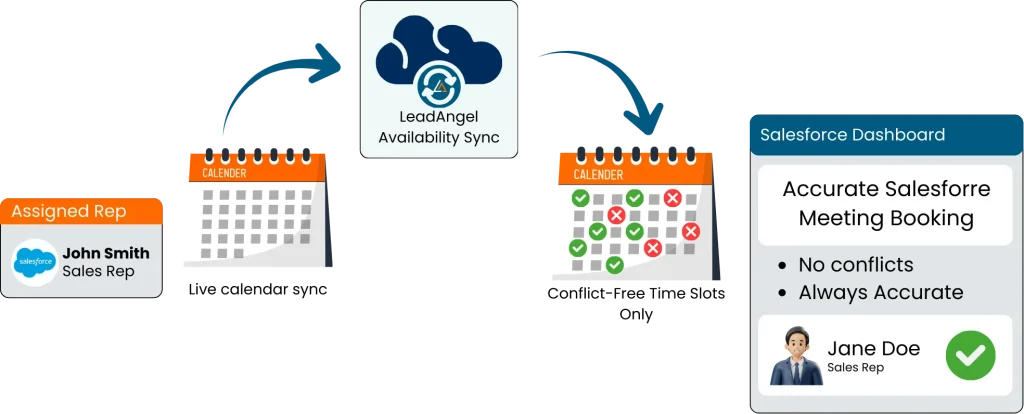
Built-in scheduling tools can rely on static or delayed calendar data, leading to conflicts and reschedules. LeadAngel syncs with each assigned rep’s connected calendar to reflect real-time availability during scheduling. Only valid, conflict-free time slots are shown, ensuring meetings booked through Salesforce do not overlap with existing commitments and remain accurate as calendars change.
Timezone intelligence
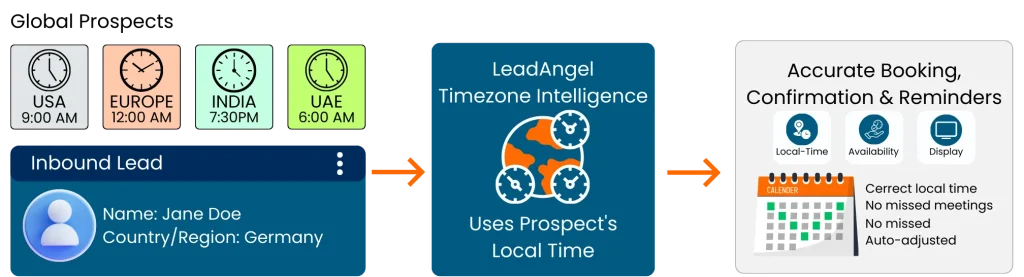
Salesforce’s in-built scheduling isn’t designed for global inbound teams managing multiple regions. LeadAngel applies timezone intelligence at the moment of scheduling, using the prospect’s local time, not the sender’s. Availability, confirmations, and reminders are delivered at the correct local time for each prospect, with automatic adjustments if a scheduled time has already passed, ensuring accurate delivery, fewer misses, and a seamless scheduling experience.
Fewer manual tasks for teams
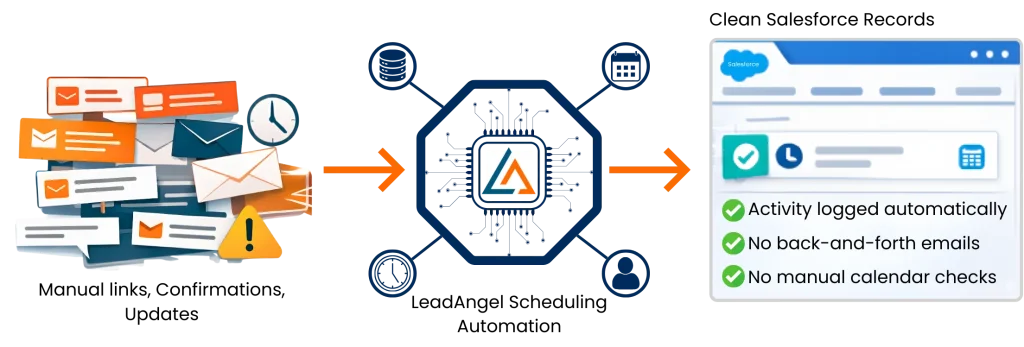
Salesforce scheduler often leaves teams managing links, confirmations, and updates manually. LeadAngel handles meeting links, confirmations, reschedules, and updates directly inside Salesforce workflows. All activity is logged automatically on Salesforce records, eliminating back-and-forth emails and manual calendar checks.
Higher meeting completion rates
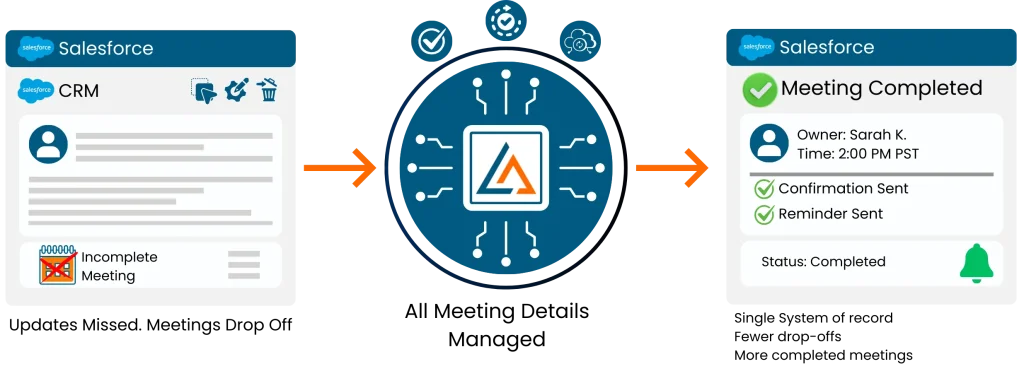
When scheduling tools operate outside Salesforce, updates get missed and meetings drop off. LeadAngel creates meetings directly from Salesforce workflows and keeps all meeting details, owner, timing, and status updated on the Salesforce record. Reps and prospects stay aligned because confirmations, updates, and reminders are managed from a single system of record. This consistency reduces drop-offs, prevents missed updates, and drives more completed meetings that are fully tracked in Salesforce.
Works across your entire funnel
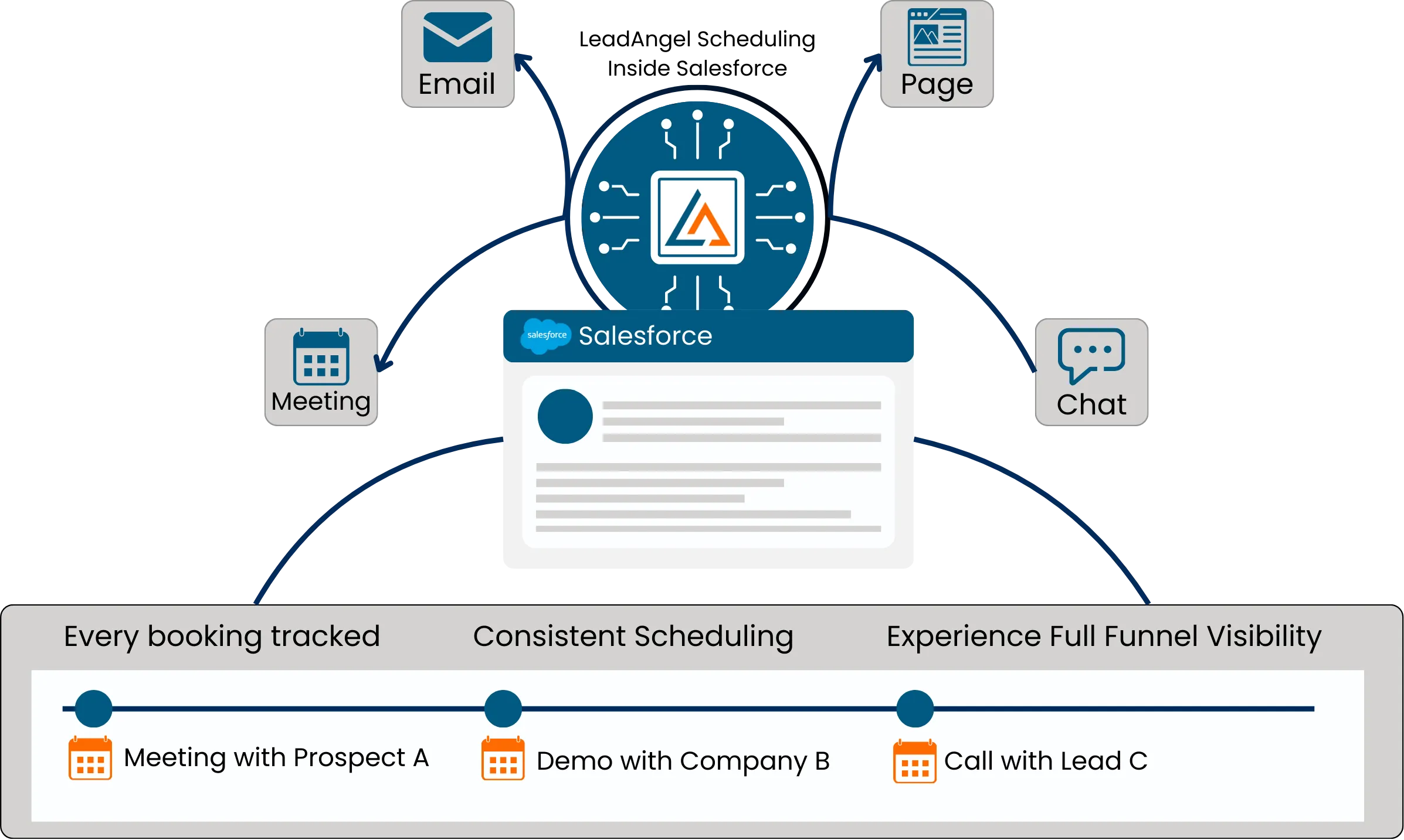
Salesforce’s native scheduling capabilities are often limited to specific touchpoints. Teams embed scheduling links across lead handoffs, emails, landing pages, and chat. Every booking stays connected to Salesforce, ensuring consistent scheduling experiences and full visibility across the funnel.
Fill Your Calendar With Smart, Automated Appointments
LeadAngel validates availability, matches reps, and creates events inside Salesforce, ensuring every meeting aligns with your workflow rules, calendars, and object relationships.
HOW It WORKS
How LeadAngel Automates Calendar Scheduling in Salesforce
A simple automated flow replaces manual coordination. Leads get a link, select a slot, and the system instantly creates and logs the meeting — no back-and-forth, no errors.
1
Salesforce Reads User Calendar Objects
LeadAngel’s calendar scheduling feature with Salesforce accesses connected calendars (Google or Outlook) and retrieves each rep’s real-time availability directly through Salesforce.
2
Availability Is Evaluated and Routing Rules Are Applied
The system checks for conflicts, validates time slots, and applies your lead-assignment logic to determine which rep should receive the meeting, supporting Salesforce meeting scheduling and automated routing.
3
Valid Time Slots Are Presented to the Prospect
Only clean, conflict-free, properly routed availability is shown. LeadAngel ensures prospects see accurate options for appointment scheduling in Salesforce, based on duration, meeting type, and rep assignment.
4
Salesforce Event Is Generated Automatically
Once a prospect books, LeadAngel creates a structured Salesforce Event with full metadata, logs the activity, updates ownership, and records the meeting without any manual input.
Read Our Blogs

Your sales pipeline is no longer just a tracking system. It is the backbone of how revenue moves. Today’s buyers

Today’s best data cleansing software goes far beyond basic cleanup. It uses AI to detect issues, automate fixes, and standardize

Revenue teams today use many tools. Nearly 70% of B2B teams say their data is still siloed across systems. Pipeline

Sales today isn’t just about reaching out; it’s about reaching the right prospects at the right time with the right

Leads are the foundation of every growing business. Why? Because speed matters, 78% of deals go to the first responder.

Bad B2B data isn’t just annoying.It’s expensive. It slows down sales.Confuses marketing.And quietly kills revenue. Which is why so many
Get started
Ready to supercharge your business?
Grow sales and stay ahead in the competitive market by being among the first to benefit from our game-changing solutions.
Fequently asked questions

Yes. LeadAngel integrates with Salesforce and functions as a native scheduling tool inside your CRM workflows.
Yes. Availability updates instantly across Salesforce-connected Google and Outlook calendars.
Yes. Any changes made by prospects automatically update the Salesforce appointment and notify the assigned rep.
Yes. LeadAngel applies your routing logic to assign the correct rep before showing available time slots.
Most teams activate calendar scheduling in Salesforce in less than a day.
Yes. LeadAngel provides a shareable link that you can place on forms, chat, emails, or landing pages, and all meetings sync to Salesforce.
Yes. The system checks each participant’s Salesforce-connected calendar and confirms only conflict-free time slots.
Yes. Meetings created through LeadAngel sync to Salesforce and update Google or Outlook calendars automatically.
Yes. You can create multiple meeting types—such as demos or discovery calls—and LeadAngel shows only valid slots for each.
Yes. LeadAngel sends confirmation emails and reminders to prospects, and all updates are logged inside Salesforce.