
The Intelligent Lead-to-Account Matching Solution for
MS Dynamics 365
From first touch to final ownership. Dynamics 365 lead-to-account matched automatically. Data stays clean. Sales keeps moving.

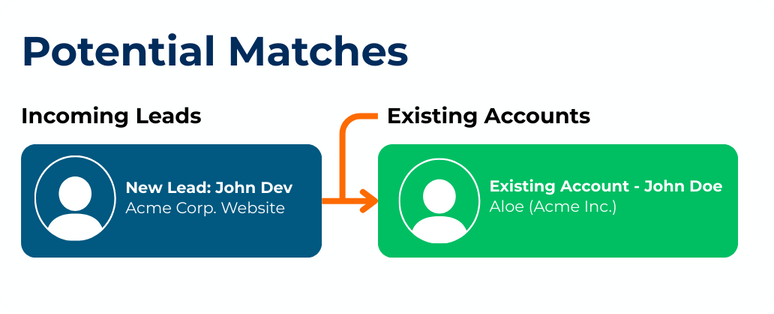
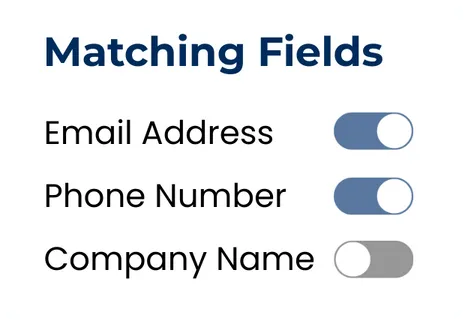
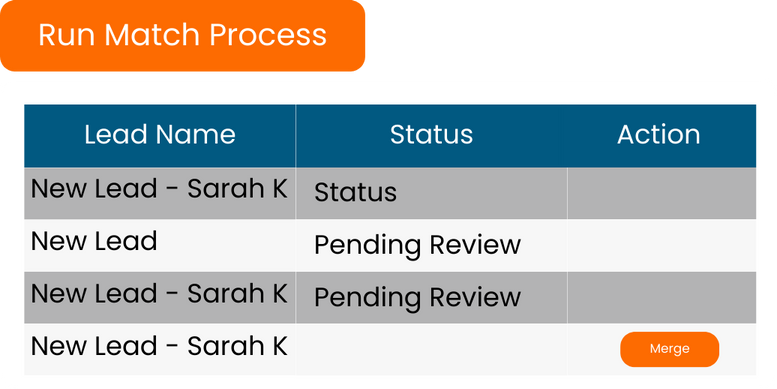
Why
Why Lead-to-Account Matching Is a Challenge in Microsoft Dynamics 365
Keeping Dynamics CRM data aligned isn’t as simple as it should be. Sales teams often conflict with Microsoft Dynamics 365 lead to account matching, causing delays, confusion, and ignored possibilities. Here’s why it happens
Messy Data
Leads often arrive with missing fields, typos, or inconsistent naming. A company may appear as “IBM Corp” in one record and “International Business Machines” in another, making Dynamics 365 lead matching unreliable.
Duplicate Accounts
Without strong Dynamics 365 account matching, new leads are frequently converted into new accounts by mistake, creating duplicates that clutter CRM data and confuse ownership.
Slow Follow-Ups
When Dynamics 365 lead to account assignment isn’t automatic, reps spend time searching for the right account instead of responding quickly, reducing conversion chances.
Basic Matching Rules
Lead to account matching in Dynamics CRM relies heavily on exact-name logic. Even small formatting differences can prevent leads from being linked correctly.
Too Much Admin Work
Manual cleanup becomes the norm when Dynamics 365 lead to account matching fails, pulling reps away from selling and into data management.
ABM Breaks with Fragmented Account Data
Account-based strategies depend on unified accounts. Poor lead to account matching, Dynamics CRM leaves leads scattered, weakening targeting, personalization, and measurement.
How LeadAngel Fixes Lead Matching in Microsoft Dynamics 365
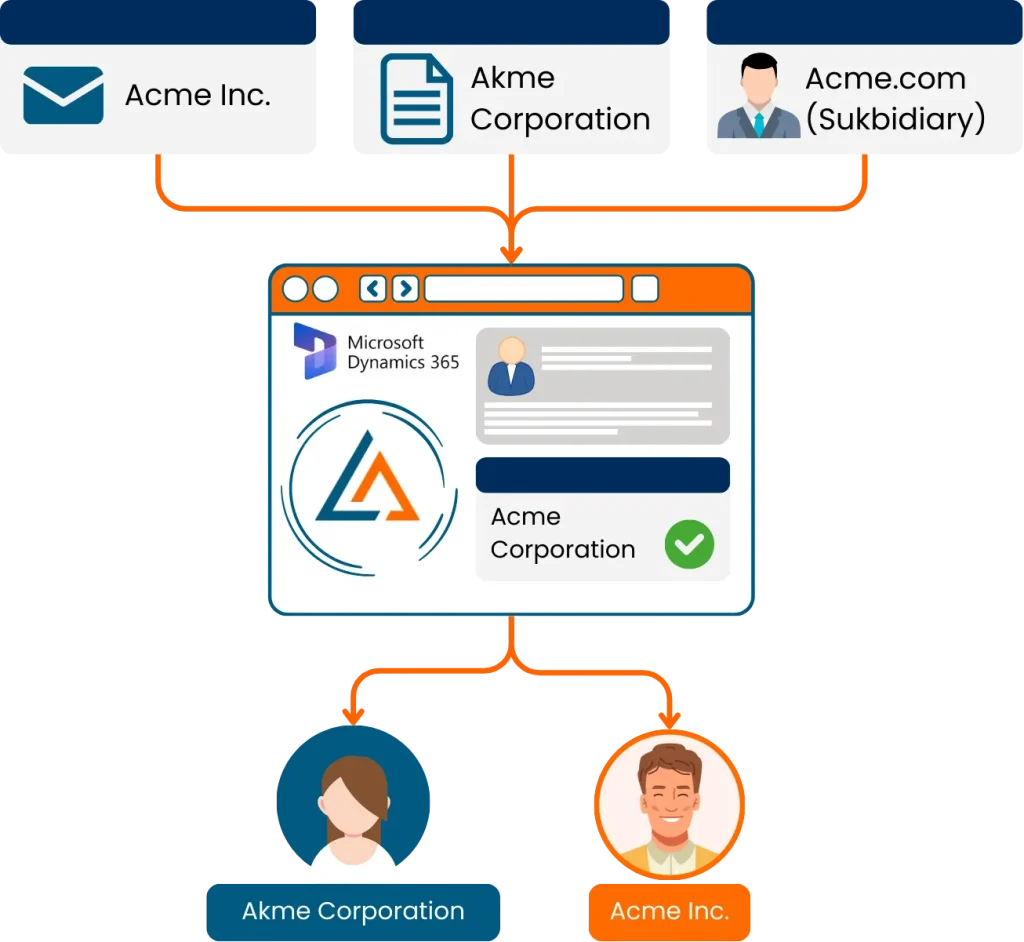
Leads shouldn’t get lost or assigned incorrectly in your CRM. With LeadAngel, every lead in Microsoft Dynamics 365 is automatically matched to the right account with precision and consistency. Our intelligent Dynamics 365 lead-to-account matching goes beyond basic rules. It handles company name variations, typos, subsidiaries, and email domain differences to ensure leads always land with the correct account, no manual cleanup, no duplicate outreach, and no missed revenue.
Once a match is made, leads are instantly routed to the right sales rep, so your team can focus on closing deals instead of fixing data. With LeadAngel running behind the scenes, your Dynamics 365 lead matching stays accurate, organized, and fully optimized for sales at scale.
Leads Not Aligning with Accounts in Dynamics 365?
Contact us to explore how LeadAngel improves match precision and sales focus

Benefits for MS Dynamics 365 CRM Users
Microsoft Dynamics 365 isn’t just a CRM; it’s a central hub for sales, marketing, and customer engagement. Here’s how it boosts your business:
Unified Customer View
Access a complete view of every customer and interaction in one place, making it easier to understand needs and personalize engagement.
Streamlined Sales Processes
Automate repetitive tasks, manage pipelines efficiently, and ensure your sales team can focus on closing deals instead of admin work.
Enhanced Collaboration
Teams across departments can share data and insights seamlessly, improving communication and aligning strategies for better results.
Advanced Analytics & Reporting
Turn raw data into actionable insights with built-in dashboards and reporting tools, helping you make smarter, data-driven decisions.
Scalable & Customizable
Adapt Dynamics 365 to your business processes with flexible modules, integrations, and apps that grow with your organization.
Improved Customer Engagement
Track every touchpoint and deliver consistent, timely interactions across email, social, and other channels to strengthen relationships and loyalty.
Lead Matching in MS Dynamics 365, Powered by LeadAngel
Sales teams shouldn’t waste time manually linking leads. With LeadAngel, Dynamics 365 lead to account matching happens automatically, ensuring reps focus on selling, not data entry.
1
Lead Capture
A new lead enters Dynamics 365 via web forms, marketing campaigns, partner referrals, or manual entry.
2
Instant Matching
Using fuzzy account matching Dynamics 365 and domain-based account matching Dynamics, LeadAngel identifies the most relevant account for each lead—even when names or domains differ slightly.
3
Tie-Breaker Logic
If multiple potential matches exist, LeadAngel applies rules based on recent activity, geographic location, or business priorities to select the best account.
4
Automated Routing
Once matched, leads are assigned to the right rep, team, or territory based on your workflow. This is powered by the Dynamics 365 lead to account matching tool, eliminating delays and manual work.
5
Real-Time Alerts
Sales reps receive instant notifications when a lead is linked to their account, enabling immediate follow-up.
6
Continuous Sync & Reverse Matching
If a lead initially has no match, LeadAngel continuously monitors for new accounts and updates the lead automatically. Combined with lead enrichment and matching Dynamics, your CRM stays accurate and actionable at all times.
Comparison
Microsoft Dynamics 365 CRM vs. LeadAngel in Lead-to-Account Matching
| Feature | Microsoft Dynamics 365 CRM | LeadAngel |
|---|---|---|
| Matching Logic | Rule-based matching with manual configurations | Fuzzy logic, rule-based, and custom criteria for higher accuracy |
| Flexibility | Requires Power Automate or customization for advanced matching | Highly flexible with adjustable rule sets and multiple criteria |
| Customization | Limited out-of-the-box; requires developer effort for complex matching | No-code interface with easy rule modifications |
| Automation | Can be automated but may require external tools | Fully automated, real-time lead-to-account matching |
| Data Handling | Matches based on fixed fields (company name, email domain, etc.) | Handles variations, typos, and incomplete data using intelligent matching |
| Integration | Native to Dynamics but may need third-party add-ons for better accuracy | Integrates with multiple CRM and marketing platforms |
| Scalability | Can handle enterprise-scale but may need optimization for performance | Built for high-volume lead processing with optimized performance |
| Implementation Effort | Requires IT support for setup and maintenance | Quick setup with minimal technical expertise required |
| Use Case Suitability | Best for companies already using Dynamics and willing to invest in customizations | Ideal for businesses needing accurate, automated, and flexible lead-matching |
Read Our Blogs

Revenue teams today use many tools. Nearly 70% of B2B teams say their data is still siloed across systems. Pipeline

Sales today isn’t just about reaching out; it’s about reaching the right prospects at the right time with the right

Leads are the foundation of every growing business. Why? Because speed matters, 78% of deals go to the first responder.

Bad B2B data isn’t just annoying.It’s expensive. It slows down sales.Confuses marketing.And quietly kills revenue. Which is why so many

You’ve explored plenty of tools before, and you know how overwhelming it feels to choose the right one (or even

We used to think our CRM issues were just part of the job: slow pipeline updates, missed follow-ups, and messy
Fequently asked questions

In Microsoft Dynamics 365, leads can be matched to accounts by using duplicate detection and qualification logic. When qualifying a lead, the system checks for existing accounts based on matching fields (such as email, name, or other identifiers). If a match is found, the lead can be linked to that account instead of creating a new one.
Yes. Dynamics 365 allows leads to be associated with existing contacts and accounts during the qualification process. The platform’s duplicate detection and matching features help identify potential matches and link leads to the appropriate account or contact.
The most reliable method in Dynamics CRM is to use built-in duplicate detection rules and matching criteria (such as email, company name, and other key fields), or to configure automated workflows and matching strategies through tools like Power Automate or third‑party matching solutions.
Out‑of‑the‑box automatic lead matching in Dynamics 365 works by comparing incoming lead information against existing records using configured matching rules (like email or name). When a match is found during qualification, the lead is linked to the existing account or contact, preventing duplicates and maintaining cleaner data.
Dynamics 365 does the basics, but real-life lead data is messy. Small variations in names, emails, or companies can break matching, which leads to duplicates, manual fixes, and slower follow-ups.
LeadAngel is built for that messiness. It looks at multiple data points, handles partial matches, and connects leads to the right account and rep automatically—so nothing slips through the cracks.