
Welcome to the era of pipeline Darwinism—where only B2B teams that adapt how they track leads survive.
In today’s always-on sales environment, relying on spreadsheets, delayed CRM updates, or “I’ll follow up later” mental notes is the modern equivalent of showing up to a boardroom with a fax machine. Familiar, perhaps, but painfully out of place.

As buying journeys stretch out and touch more channels, sales teams are juggling far more conversations than before. When expectations around speed and relevance rise, even small cracks in lead tracking and follow-up start to show—and they cost real opportunities.
And yet, this isn’t a crisis. It’s an opportunity.
The difference between teams that stall and teams that scale comes down to visibility. Knowing where every lead stands. Knowing who owns it. Knowing what happens next. That’s what the right lead tracking software delivers, not predictions, not guesswork, but clarity.
This guide cuts through the noise to explore 5 lead tracking tools built for B2B companies navigating complex pipelines and growing demand. No crystal balls. Just a practical system, designed to help teams track leads with precision, stay aligned, and move faster, without breaking their workflows.
Because in a world where attention is fleeting and follow-ups define revenue, survival favors the prepared.
Lead Tracking Tools, At-a-Glance Comparison
The table below compares widely used lead tracking and revenue tools based on their strengths, integrations, and typical cost, making it easier to evaluate which tool aligns with your sales and RevOps needs.
| Tool name | Best for | Key feature | CRM integration | Pricing range |
|---|---|---|---|---|
| LeadAngel | RevOps & sales teams with complex lead flows | Advanced lead routing, lead-to-account matching, and smart scheduling | Native HubSpot CRM, Salesforce, Microsoft Dynamics, Gmail, Outlook, Marketo, Pardot, Slack | Custom pricing |
| HubSpot | Growing teams that want an all-in-one CRM | Marketing automation, meetings, basic routing | Native CRM + wide app ecosystem | Free → $150 per user/month |
| Salesforce | Organizations needing deep customization and scalability | Highly customizable CRM, automation, and reporting | Native + extensive marketplace | $25 → $500 per user/month |
| Pipedrive | Sales teams that want simplicity and visibility into deals | Visual pipelines, deal tracking, ease of use | Native integrations + APIs | $24 → $129 per user/month |
| ZoomInfo | Teams focused on outbound sales, enrichment, and intent data | B2B contact data, firmographics, and intent signals | Salesforce, HubSpot, others | Custom pricing |
5 Best Lead Tracking Tools for B2B Companies
Looking for the right lead tracking tool to manage your leads? Here are some great options that can help B2B companies stay on top of their leads and make the sales process smoother:
1. LeadAngel
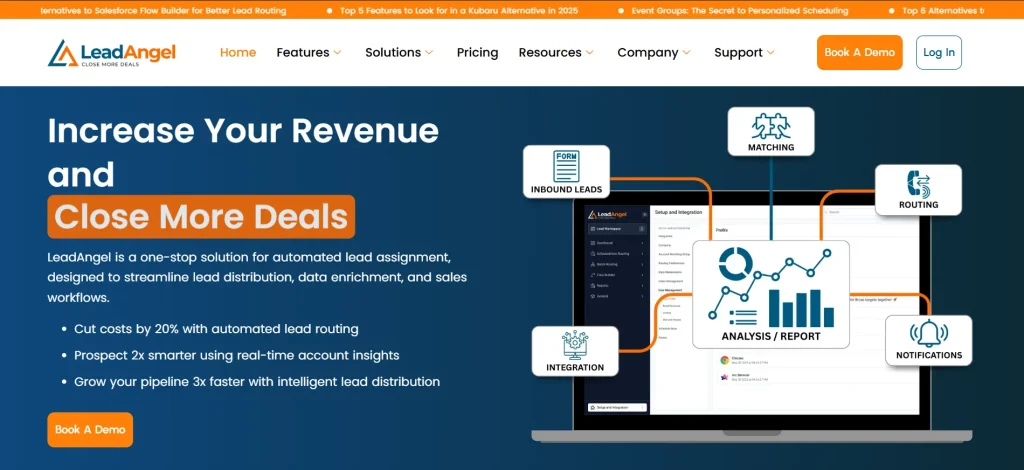
LeadAngel is a lead routing and data deduplication system built for B2B teams that outgrow basic CRM logic. It doesn’t just store leads, it determines what happens next. With real-time matching and routing, every lead reaches the right owner instantly, supporting lead tracking through clean data and structured ownership.
Built for RevOps, SalesOps, and enterprise GTM teams, LeadAngel improves data accuracy by eliminating duplicates, automating ownership, and scaling seamlessly alongside Salesforce, HubSpot, and Microsoft Dynamics. It improves visibility into lead flow and ownership and enables better tracking by enforcing routing logic.
Instead of static rules, it applies intelligent logic across accounts, territories, capacity, and availability, making it ideal for complex B2B sales motions.
Key Capabilities
- Lead-to-account matching: Clean data. No duplicates. No awkward double outreach.
- Smart lead routing & distribution: Route by territory, ownership, intent, or capacity—in real time.
- Round-robin & capacity-based assignment: Fair distribution without overloading reps.
- Clear lead ownership & tracking: See where every lead goes—and why.
- Automation & data hygiene: Deduplication, reassignment, and follow-ups—on autopilot.
- CRM-native integrations: Works seamlessly with Salesforce, HubSpot, Dynamics, and Marketo.
Pricing Plans
- Professional: Smart lead routing, accurate lead-to-account matching, and automated distribution—everything growing B2B teams need to stay fast and organized.
- Professional Plus: Advanced logic, higher scale, deeper visibility, and enterprise-ready controls for complex GTM and RevOps teams.
2. HubSpot
Source: Hubspot.com
HubSpot is a CRM that helps businesses handle leads more efficiently. It brings all your lead details into one place, tracks interactions, and provides tools to guide leads through the sales process.
With HubSpot, your team can stay organized and connect easily with potential customers.
It records actions like email opens, form submissions, and website visits, giving you helpful insights into lead behavior.
Key Features
- Pipeline management – Track where leads are in the sales process with clear, visual pipelines.
- Lead activity tracking – Monitor interactions to understand engagement and plan the next steps.
- Follow-up automation – Schedule and send follow-up emails to ensure timely engagement.
- Contact segmentation – Organize leads into targeted groups based on behavior or demographics for personalized outreach.
- Customizable dashboards – Create tailored views to prioritize key data and access it quickly.
Pricing Plans
- Free – Basic CRM features, including contact management, deal tracking, and email scheduling.
- Starter – $20 per user per month, includes sales automation, goals tracking, and sales content analytics.
- Professional – $100 per user per month, offers advanced tools like sequences, forecasting, and custom reporting.
- Enterprise – $150 per user per month, adds predictive lead scoring, recurring revenue tracking, and conversation intelligence.
3. Salesforce
Source: Salesforce.com
Salesforce is a CRM that organizes all your lead details, tracks activities, and supports your entire sales process. It helps you manage leads, schedule follow-ups, and adjust strategies to suit your team’s workflow.
Suitable for businesses handling high lead volumes or complex sales cycles, Salesforce keeps your process streamlined and focused on closing deals.
Key Features
- Lead scoring – Rank leads based on engagement and likelihood to convert, helping sales teams focus on top opportunities.
- Customizable workflows – Adapt tracking leads and lead management processes to align with your business needs.
- Real-time reporting – Gain valuable insights into lead activity, team performance, and pipeline metrics.
- Automation tools – Reduce manual tasks like data entry and follow-ups with built-in automation features.
- Integration capabilities – Connect seamlessly with marketing tools, email platforms, and third-party applications.
Pricing Plans
- Starter Suite – $25 per user per month, includes basic lead, account, and opportunity management with email integration.
- Pro Suite – $100 per user per month, offers customization, sales forecasting, and enhanced real-time chat.
- Enterprise Suite – $165 per user per month, designed for advanced pipeline management, conversation intelligence, and workflow automation.
- Unlimited Suite – $330 per user per month, adds predictive AI, sales engagement tools, and Premier Success Plan.
- Einstein 1 Sales – $500 per user per month, includes generative AI, unified data management, and advanced revenue intelligence.
4. Pipedrive

Source: Pipedrive.com
Pipedrive is a simple CRM that helps marketing and sales teams manage qualified leads.
With its interface and visual pipeline, you can track leads at every stage of the sales process. Pipedrive helps teams stay on task and concentrate on closing more deals.
With its visual layout, Pipedrive makes sure no lead gets missed. Teams can set priorities, check progress, and work more efficiently without any hassle.
Key Features
- Customizable pipelines – See where every lead with pipelines you can adjust to fit your needs.
- Follow-up reminders – Get automated alerts so you never miss a follow-up.
- Lead insights – View reports on trends, conversions, and team activity to track what’s working.
- Mobile access – Manage leads on the go with a fully functional mobile app.
- Automation tools – Save time by automating repetitive tasks like data entry and follow-up scheduling.
Pricing Plans
- Essential – $24 per user per month, includes basic lead, calendar, and pipeline management.
- Advanced – $49 per user per month, adds email sync, automation, and customizable templates.
- Professional – $69 per user per month, includes AI-powered sales assistant, advanced reporting, and customization options.
- Power – $79 per user per month, designed for larger teams, offering project planning, tracking, and flexible collaboration tools.
- Enterprise – $129 per user per month, includes enhanced security, unlimited customization, and dedicated support.
5. ZoomInfo
Source: ZoomInfo.com
ZoomInfo is a go-to platform for B2B teams that need accurate contact data, company intelligence, and sales insights. It consolidates firmographics, direct dials, buying intent signals, and engagement data into one ecosystem to help teams find the right prospects and reach them faster.
Its tools streamline everything from lead research to outreach. ZoomInfo helps sales and marketing teams prioritize accounts, personalize communication, and accelerate pipeline growth.
Key Features
- Extensive B2B contact database – Access millions of verified contacts with direct dials, emails, and detailed company profiles.
- Buyer intent insights – Identify companies actively researching your product or related topics so your team can engage earlier in the buying cycle.
- Sales automation tools – Build automated workflows for outreach, follow-ups, and task reminders through ZoomInfo Engage.
- Conversation intelligence – Analyze sales calls with AI-powered insights to improve messaging and coaching.
- Technographics and firmographics – Understand a company’s tech stack, revenue, employee size, and org charts to better qualify leads.
Pricing Plans
ZoomInfo does not list fixed pricing publicly. Typical plans include:
- SalesOS – Contact and company data, intent insights, and territory planning tools.
- MarketingOS – Audience building, enrichment, and ABM targeting capabilities.
- OperationsOS – Data automation, enrichment, and hygiene tools for RevOps teams.
Pricing varies based on seats, credits, and feature bundles — companies must contact ZoomInfo for a custom quote.
Ready to optimize your lead management? Sign up for free or book a demo with LeadAngel today!
How to Choose the Best Lead-Tracking Tool for Your Business
To find the right lead-tracking tool for your business, follow these simple steps:
Know Your Team’s Needs
Start by identifying the biggest challenges your team faces with the lead management system. Are missed follow-ups slowing you down? Is your data scattered across multiple tools? Or are you unsure which leads to prioritize?
Knowing your pain points will help you zero in on tools that address those specific issues.
Look for Must-Have Features
A good lead-tracking tool should simplify your process and improve your results. Here are key features to consider:
- Centralized data management – Keep all lead details in one place for easy access.
- Automated tasks – Let tools handle follow-ups, emails, and reminders to free up your time.
- Prioritize leads – Focus on the best leads by ranking them based on interest and engagement.
- Track performance – Use reports to see what’s working and find areas to improve.
- Customization – Pick tools that fit the way your team works, making your process smoother.
Make It Easy to Use
Complicated tools often go unused. Choose one with a straightforward design, simple navigation, and quick setup so your team can get started without any hassle.
Check Integration Options
The tool should work smoothly with the systems your team already uses, like your CRM, email platform, or marketing software. Smooth integration saves time and reduces the hassle of switching between tools.
Think About Your Future Needs
Your current needs are important, but so is scalability. As your business grows, your lead tracking tool should grow with it. Look for options with advanced features, customizable workflows, and multi-user support to handle future demand.
Compare Pricing and Plans
Evaluate what each tool offers at different price points. Some tools include basic features for free, while others may charge more for advanced options. Testing free trials or demos is a smart way to see if the tool provides value for its cost.
Gather Feedback
Talk to your team and consider their input. They’re the ones using the tool daily, so their perspective matters. Additionally, read reviews or case studies to see how other businesses have benefited from the tool.
Test Before You Commit
Most tools offer free trials or personalized demos. Use this opportunity to explore how the tool fits into your workflow and solves your challenges. Check whether it feels intuitive and delivers the promised results.
Maximize Your CRM’s Potential With LeadAngel’s Smart Lead Tracking
Company after company keeps asking the same frustrating question:
“Why are we still losing leads—even with a CRM?”
Salesforce, HubSpot, and Zoho are powerful systems. They’re essential for managing the sales process. But when it comes to tracking leads with precision, managing complex handoffs, and eliminating manual cleanup, CRMs alone start to show their limits.
We’ve seen it play out repeatedly. Incomplete records. Duplicate leads. Slow routing. A broken lead tracking process that relies too heavily on human intervention.
That’s where purpose-built lead tracking tools step in—and where LeadAngel extends what your CRM was never designed to handle.
LeadAngel operates as advanced sales lead tracking software, working alongside your CRM to bring structure and accuracy back to lead management:
- Match leads to accounts with confidence
Maintain a clean CRM with 99.7% accurate lead-to-account matching, reducing duplicates and ensuring your data actually reflects reality. - Route leads intelligently, not manually
Leads are routed automatically using territory, interest, or intent—so reps connect while timing still matters. - Design workflows that fit how your team sells
Your sales process isn’t generic. Your routing and tracking rules shouldn’t be either. - Automate the busywork that slows teams down
Deduplication, reassignment, and follow-ups happen automatically. These lead teams spend less time fixing data and more time closing deals.
The result? A CRM that finally behaves like a system, not a spreadsheet with a login.
LeadAngel doesn’t replace your CRM. It completes it. By strengthening how you track, route, and manage leads, it helps teams move faster, stay aligned, and build stronger customer relationships, without adding operational chaos.
Because scaling revenue isn’t about working harder, it’s about fixing how you track leads in the first place.
See How LeadAngel Can Transform Your Lead Management
Curious to experience the power of LeadAngel firsthand? We understand!
We're offering a complimentary trial so you can explore LeadAngel's features at your own pace. Once you request a free trial, we'll schedule a personalized onboarding session to ensure you maximize the value of LeadAngel.
Ready to take your lead management strategy to the next level? Request your LeadAngel trial today!
In addition to exploring the platform, we recommend visiting our LeadAngel Help Center for in-depth guidance. Our dedicated customer support team is also available to answer any questions you may have at sales@leadangel.com.
FAQs
To track leads effectively, use a CRM or lead-tracking tool that organizes your data in one system. This makes it easy to monitor interactions, manage tasks, and schedule follow-ups. Automated features like lead scoring and email tracking help you prioritize leads and work more efficiently.
Choosing the right lead management software starts with identifying your business needs. Look for features like centralized data management, lead scoring, and integration with marketing automation platforms. The software should also provide insights into your marketing channels, helping you track which sales and marketing strategies drive the most engagement and conversions. Testing tools through free trials or demos can help you find the best lead management software for your team.
CRMs track leads from different places like forms, emails, ads, chats, and calls by saving everything in one record. Each lead shows where it came from, when it contacted you, and what actions happened next. The problem is: many CRMs store the data well but don’t always organize or assign it correctly without extra rules or tools.
Connect all lead sources (website forms, ads, email, chat). Make sure each lead is saved in the CRM with a source name. Set rules for who owns the lead. Track status changes (new, contacted, qualified, closed). Use automation so this happens without manual work. That’s it. Simple setup, but it needs to be done cleanly.
The best lead tracking tool is one that: Tracks every lead automatically Shows who owns the lead Explains why it was assigned Works with your CRM Many teams use CRMs for tracking, and tools like LeadAngel when tracking and assignment become too complex.
The best solutions usually include: A CRM (to store and view leads) Automation (to assign and update leads) Clear ownership tracking (to avoid confusion) For simple teams, a CRM may be enough. For growing B2B teams, combining a CRM with a dedicated lead routing and tracking tool works better.

