
73% of growing SaaS businesses face scheduling issues due to manual bookings.
This makes it harder to manage meetings, appointments, and day-to-day operations efficiently.

We believe you can manage scheduling manually in the early stages — we’ve even shared examples before. But as businesses scale, most teams end up losing time (and money) without automation.
To support growing teams, SaaS companies have introduced a helpful solution called scheduling software. And finding the right tool matters.
To help you decide, we’ve put together a list of 10 powerful scheduling tools for 2026. Let’s find the best one for your needs.
Now let’s understand what it is —
What Is Appointment Scheduling Software?
Appointment scheduling software or an online appointment scheduling software program facilitates organizations to manage bookings in a smoother, more prepared manner. Instead of managing calls or manual calendars, clients can pick out a time online, see real-time availability, and get updates immediately. It keeps the glide transferring, reduces blend-ups, and makes the entire process less complicated for both teams and clients.
What Makes SaaS Scheduling Tools Better Than Traditional Methods
It’s simple to overlook how much smoother matters run while the software evolves together with your workflow, not towards it. That small shift toward simplicity finally ends up making a bigger difference than most groups assume.
Faster Setup, No Headaches
SaaS scheduling software doesn’t require installations, updates, or IT guides. You log in, set matters up as soon as, and the whole thing runs smoothly in the cloud. It’s an easy shift that saves time and avoids the standard struggles of conventional software.
Always Up-to-Date
Instead of demanding outdated systems or manual upgrades, SaaS structures are replaced automatically. New features, security fixes, improvements—they all appear without interrupting your day. The best appointment scheduling software should feel effortless, and SaaS makes that possible.
Real-Time Availability That Actually Works
Traditional scheduling can get messy, rapid—double bookings, neglected chances, outdated calendars. SaaS systems sync instantly, so everyone always sees accurate availability. It makes the top scheduling software far more reliable.
Accessible from Anywhere
Whether on a laptop at work or a phone on the go, SaaS scheduling software program keeps the whole thing linked. No need to take a seat at a selected laptop or rely upon in-office structures. This flexibility is a big reason why the best SaaS appointment scheduling software is preferred over older tools.
Scales as You Grow
Traditional systems often break or slow down as teams expand. SaaS tools grow with you—more users, more locations, more appointments, no added complexity. It’s a setup designed to adjust naturally as demand increases.
Better Integrations Across Your Tools
SaaS scheduling platforms connect simply with CRMs, calendars, email tools, and more systems. This keeps your workflow clean and consistent. It’s one of the reasons businesses choose scheduling software top of the market rather than sticking to outdated methods.
Lower Upfront Costs
Instead of investing heavily in hardware or licenses, SaaS keeps things simple with subscription pricing. You pay for what you use, and you avoid the long-term burden of maintaining traditional software.
10 Best Appointment Scheduling Software for 2026
Managing schedules manually slows down business growth. SaaS scheduling software automates bookings, prevents conflicts, and keeps operations running smoothly. The right tool helps with client appointments, team meetings, and shift management.
Here are the top tenscheduling tools for 2026, with LeadAngel at the top of the list.
1. LeadAngel
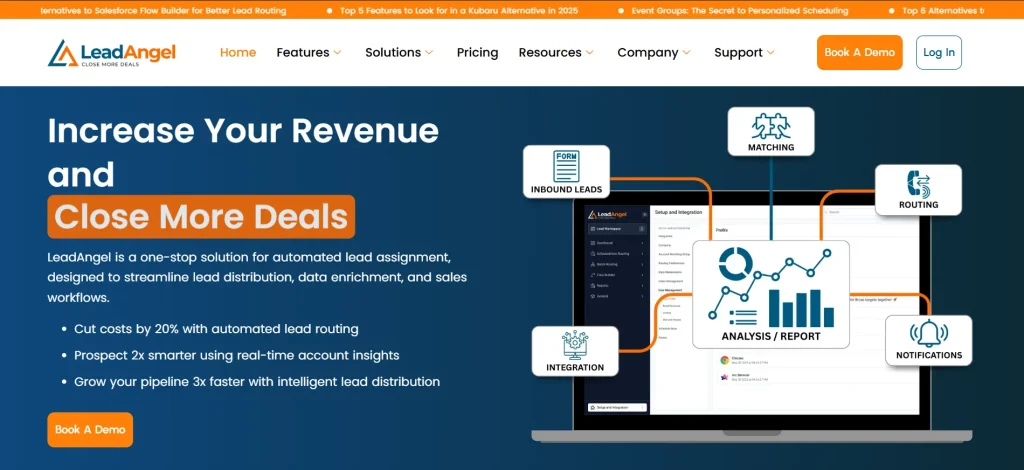
LeadAngel, as a SaaS based calender scheduling software, helps businesses turn every meeting into a growth opportunity. Instead of wasting time on back-and-forth emails, prospects can instantly book meetings with the right sales reps, making the entire process fast and frictionless.
By automating meeting assignments based on availability, territory, or expertise, it ensures high-quality conversations happen without delays. This means faster response times, better customer experience, and a higher chance of converting leads into revenue.
With smarter scheduling, sales teams can handle more meetings without increasing workload, directly multiplying business opportunities.
Key Features
- Advanced lead routing – Assigns leads instantly based on pre-set rules.
- CRM integration – Works seamlessly with major CRM platforms.
- Automated scheduling – Eliminates manual booking with real-time availability.
- Data deduplication – Cleans up duplicate lead records for better accuracy.
- Round-robin scheduling – Distributes meetings evenly across reps.
- Scheduling for web forms – Lets prospects book directly after form submission.
- Handoff scheduling – Makes it easy to transition leads from SDRs to AEs.
- Real-time availability sync – Connects with Google and Outlook calendars.
- Custom booking links – Personalizes scheduling for each rep.
- Meeting reminders – Sends automated email and SMS notifications.
Pricing Plan
- Professional – $500/month. Includes 100,000 lead records, ten salespeople, lead-to-account matching, and lead routing. Comes with email support. Add-ons are available for data deduplication and scheduling.
- Professional Plus – $2,042/month. Supports 500,000 lead and account records and 25 salespeople. Includes advanced lead, contact, account, and opportunity routing, data deduplication, and scheduling for web forms and handoffs. Comes with dedicated support. On-the-spot transfers are available as an add-on.
Want a better idea of what your cost will be? Use the Pricing Calculator to estimate your expenses based on team size and lead volume. Final pricing may vary depending on specific business needs.
Sign up for free or book a demo with LeadAngel today!
2. RevenueHero

Source: RevenueHero.io
RevenueHero is a scheduling tool designed for fast lead qualification and meeting booking. It connects with CRM platforms and automates scheduling based on pre-set rules. Sales teams use it to reduce delays and keep leads engaged.
The platform focuses on speed over customization. It works well for teams that prioritize instant lead routing but may not fit businesses needing deeper workflow customization. Reporting tools provide insights but lack advanced tracking options in more robust platforms.
Pricing includes platform fees, which may not suit smaller teams. It’s a suitable choice for businesses that need quick lead scheduling but may not work for those looking for detailed analytics and workflow flexibility.
Key Features
- Instant lead qualification
- Custom meeting distribution
- Pipeline analytics
- CRM integration
- Automated follow-ups
Pricing Plan
- Inbound Essentials – $35/user/month + $99/month platform fee. Includes meeting scheduling, CRM integration, lead routing, and automated follow-ups.
- Inbound Enterprise – $45/user/month + $99/month platform fee. Adds advanced lead qualification, custom workflows, and priority support.
- Outbound Essentials – $25/user/month. Automates meeting handoffs, email booking links, and lead-to-account matching.
- Lite Essentials – $15/user/month. Provides basic scheduling, booking pages, email embed options, and Slack integration.
3. Calendly
Source: Calendly.com
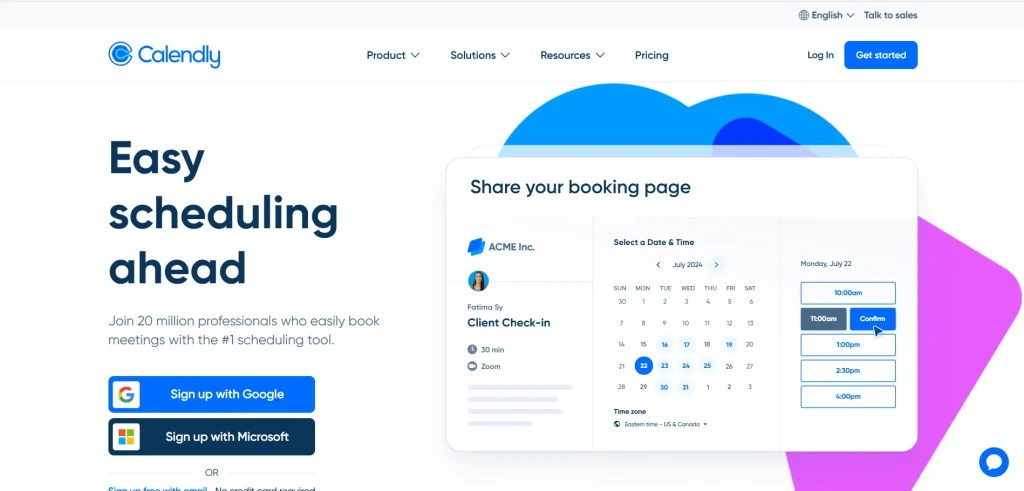
Calendly is a basic scheduling tool that simplifies meeting bookings. Users share their availability, and clients or colleagues pick a time that works. It integrates with calendars and video conferencing tools, making it easy to schedule one-on-one or group meetings.
The platform is user-friendly but limited in customization. Free and lower-tier plans restrict branding options, making them less suitable for businesses that need white-label solutions. Calendly works for individuals or small teams that need a simple booking tool without complex workflows.
While it’s a solid option for general scheduling, it lacks advanced automation and lead-routing features. Teams needing deeper workflow automation may find it too basic compared to sales-focused scheduling tools.
Key Features
- Automated scheduling
- Calendar sync
- Meeting reminders
- Time zone detection
- Group scheduling
Pricing Plan
- Free – Always free. Includes one event type, one calendar connection, video conferencing, and mobile apps.
- Standard – $12/user/month. Adds unlimited event types, multiple calendars, integrations, and automated reminders.
- Teams – $20/user/month. Includes Salesforce sync, round-robin scheduling, lead routing, and advanced admin features.
- Enterprise – Starts at $15,000/year. Adds Salesforce lookup, Microsoft Dynamics, SSO, compliance controls, and dedicated support.
4. Acuity Scheduling

Source: AcuityScheduling.com
Acuity Scheduling helps businesses book appointments and process payments in one platform. Users can set availability, automate booking confirmations, and integrate payment options. Coaches, consultants, and service-based professionals rely on it to simplify scheduling.
The platform offers customization, but setup takes time. Users must manually configure settings, which can feel overwhelming. While it includes branding and payment tools, it may not be the best fit for businesses that need a simple, plug-and-play scheduling solution.
It is a bit pricey, which may not work for small businesses. It’s a suitable option for service providers who need payment processing and advanced workflows, but teams looking for basic scheduling may find it too complex.
Key Features
- Client self-scheduling
- Payment integration
- Custom branding
- Multi-location scheduling
- HIPAA compliance
Pricing Plan
- Emerging – $20/month. Includes client self-scheduling, unlimited appointments, one bookable calendar, and payment processing.
- Growing – $34/month. Adds up to six bookable calendars, text message reminders, and bundled appointment packages.
- Powerhouse – $61/month. Includes everything in Growing, plus HIPAA compliance, up to 36 calendars, and multiple time zones.
- Enterprise – Custom pricing. Offers unlimited calendars, scheduling pages, dedicated account manager, and custom BAA.
5. Doodle

Source: Doodle.com
Doodle is a simple scheduling tool that helps teams and individuals find the best meeting time without back-and-forth emails. Users create polls, and participants vote on their preferred slots. It works for group meetings, client appointments, and team scheduling.
The platform is easy to use but lacks advanced features. It doesn’t offer CRM integration, automated lead distribution, or in-depth reporting. Businesses needing workflow automation may find it too basic.
Pricing is affordable, but the free plan includes ads. Paid versions remove ads and add extra features, but they may not be enough for teams that need full scheduling automation.
Key Features
- Group polls
- Calendar integration
- Custom branding
- Time zone support
- Automated reminders
Pricing Plan
- Free – $0 forever. Includes basic scheduling for one user.
- Pro – $14.95/user/month. Adds automated scheduling, calendar integrations, and customization options.
- Team – $19.95/user/month. Includes everything in Pro, plus team collaboration tools and advanced admin controls.
6. Setmore

Source: Setmore.com
Setmore is a client appointment scheduling tool designed for small businesses. It offers a customizable booking page, automated reminders, and payment processing. Service-based businesses use it to manage both online and in-person bookings.
The platform works well for solo professionals and small teams, but larger businesses may find its features limited. While it integrates with payment providers and social media, CRM connections are basic. It doesn’t offer advanced lead routing or custom workflow automation.
Setmore has a free plan, but key features require a paid subscription. It’s a suitable choice for businesses that need an affordable, no-frills scheduling system, but teams looking for deeper automation may need more flexibility.
Key Features
- Online booking system
- Payment integration
- Automated reminders
- Multi-user scheduling
- Social media booking
Pricing Plan
- Free – $0/month for up to four users. Includes 200 appointments, payment processing, booking pages, mobile apps, email reminders, and app integrations.
- Pro – $12/user/month for one to two users. Adds unlimited appointments, SMS reminders, 2-way calendar sync, and removes Setmore branding.
- Team – $9/user/month for unlimited users. Includes everything in Pro, plus team collaboration tools and priority support.
7. SimplyBook.me

Source: SimplyBook.me
SimplyBook.me is an appointment scheduling tool designed for service-based businesses. It offers custom booking pages, payment processing, and client management tools. Businesses use it to streamline scheduling and reduce no-shows.
The platform allows customization, but setup takes time. Users must manually configure scheduling rules and payment options. It includes marketing tools, but reporting features are basic. Businesses needing detailed scheduling analytics may find it limiting.
Pricing is based on monthly bookings, which may not work for businesses with fluctuating schedules. It’s a suitable option for salons, consultants, and healthcare providers that need structured scheduling with payment integration.
Key Features
- Branded booking pages
- Payment integration
- Marketing tools
- Automated notifications
- Client management
Pricing Plan
- Free – €0/month. Supports basic scheduling for small businesses with limited bookings.
- Basic – $9.9/month. Adds custom branding, integrations, and more bookings.
- Standard – $29.9/month. Includes advanced scheduling, marketing tools, and payment processing.
- Premium – $59.9/month. Offers full customization, API access, and priority support.
8. Appointlet

Source: Appointlet.com
Appointlet is a basic scheduling tool for businesses that need to manage client appointments. It offers automated bookings, calendar sync, and custom scheduling pages. Teams use it to book meetings, sales calls, and customer support sessions.
The platform is simple but limited. It doesn’t include lead qualification, advanced routing, or workflow automation. Businesses needing CRM and sales integrations may find it too basic. It works best for small teams that need a low-cost scheduling tool.
Appointlet has a free plan, but key features require a paid upgrade. It’s an affordable option, but businesses needing more customization and integrations should consider other tools.
Key Features
- Online booking pages
- Calendar sync
- Automated scheduling
- Time zone support
- Basic integrations
Pricing Plan
- Free – $0/month. Includes up to 5 members, unlimited meetings, video call integrations, and event rescheduling.
- Premium – $12/member/month. Adds automated reminders, manual booking confirmations, payment collection, Zapier integrations, and branding removal.
- Enterprise – Custom pricing. Provides priority support, quarterly reviews, and advanced security measures.
9. YouCanBook.me

Source: YouCanBook.me
YouCanBook.me is a calendar-based scheduling tool that helps businesses automate bookings. It syncs with major calendar platforms and lets clients book time slots directly from a booking page.
The platform is easy to use but lacks advanced automation and CRM integrations. Businesses that need lead tracking or workflow automation may find it too basic. It works best for individual professionals and teams with simple scheduling needs.
Pricing is higher than some competitors, especially for teams managing multiple calendars. It’s a solid option for basic meeting scheduling, but businesses needing sales-focused automation may prefer other tools.
Key Features
- Custom booking pages
- Calendar integration
- Automated reminders
- Time zone adjustments
- Simple payment processing
Pricing Plan
- Free – $0/month. Includes one calendar connection and one booking page.
- Individual – $9/month. Adds two calendar connections and two booking pages.
- Professional – $13/month. Supports six calendar connections, ten booking pages, and automation.
- Teams – $18/member/month. Provides multiple calendar connections, booking pages, and role-based access.
10. OnceHub

Source: OnceHub.com
OnceHub is a sales appointment scheduling tool that helps sales teams schedule appointments faster by automating bookings through online forms, chatbots, and email links. It reduces manual effort and keeps leads engaged.
The platform offers custom booking workflows, but setup takes time. Teams needing structured sales scheduling benefit from its features. Businesses looking for simple one-on-one appointment booking may find it too complex.
Pricing is based on monthly scheduled meetings, which may not work for businesses with inconsistent booking volumes. It’s a good option for sales teams that need structured lead scheduling and automated engagement.
Key Features
- Automated meeting booking
- Custom scheduling workflows
- Lead qualification
- Calendar sync
- Chatbot and form integrations
Pricing Plan
- Basic – Free. Includes one user, one booking link, calendar integrations, and multi-location availability.
- Schedule – $12/seat/month. Adds unlimited booking links, multi-host meetings, and customizable notifications.
- Route – $23/seat/month. Includes routing forms, in-form scheduling, and contact-based routing.
- Engage – $47/seat/month. Offers AI-driven scheduling, chatbots, smart routing, and AI conversations.
- Enterprise – Custom pricing featuring all the above, plus VIP support, dedicated success manager, and legal reviews.
Conclusion: The Best SaaS Scheduling Software for 2026 Is…
Looking at the 10 best SaaS appointment scheduling tools for 2026, one thing becomes clear: businesses are moving toward systems that actually make day-to-day work easier. The shift isn’t just about new features—it’s about using a SaaS booking system that removes the friction people have dealt with for years.
Modern appointment booking SaaS tools make it easier for teams to stay organized. They simplify calendars, smooth out last-minute changes, and keep everything updated without anyone having to chase things manually. With more businesses working remotely and leaning on digital communication, these platforms are becoming less of a “nice-to-have” and more of something teams naturally rely on.
And that’s really where SaaS scheduling software stands out.
- It grows with the business.
- It updates itself without getting in the way.
- It handles the small tasks in the background so teams don’t have to.
Ready to streamline scheduling with a smarter SaaS solution? Count on us!
See How LeadAngel Can Transform Your Lead Management
Curious to experience the power of LeadAngel firsthand? We understand!
We're offering a complimentary trial so you can explore LeadAngel's features at your own pace. Once you request a free trial, we'll schedule a personalized onboarding session to ensure you maximize the value of LeadAngel.
Ready to take your lead management strategy to the next level? Request your LeadAngel trial today!
In addition to exploring the platform, we recommend visiting our LeadAngel Help Center for in-depth guidance. Our dedicated customer support team is also available to answer any questions you may have at sales@leadangel.com.
FAQs
The best SaaS scheduling software for small business is the one that offers easy setup, online booking, calendar sync, and affordable pricing. Tools like LeadAngel, Calendly, Setmore, and Acuity Scheduling are the most commonly recommended.
The top SaaS scheduling solutions include LeadAngel, Calendly, HubSpot Meetings, Acuity Scheduling, SimplyBook.me, and Zoho Bookings. These platforms are consistently ranked high for reliability, integrations, and user-friendly features.
The key benefits of SaaS scheduling are simple setup, real-time availability updates, online access from any device, automatic updates, and easy integration with calendars and CRMs.
Choose your availability, share your booking link, and let the attendee pick a time. The system confirms the meeting automatically and adds it to both calendars.
Look for these features: Online booking Real-time availability Calendar sync Automated reminders Mobile access Payment support (if needed) Customizable booking pages Integrations with CRM and email tools Multi-user support Reporting and analytics

