Key Takeaways
- Sales pipeline health is measured through deal progression quality, stage integrity, and conversion consistency, not just total pipeline volume or open opportunity value.
- Pipeline analysis gives RevOps teams a deeper understanding of how opportunities progress through the funnel, especially when forecast numbers and CRM activity no longer align.
- Metrics like pipeline velocity, stage conversion, win rates, opportunity aging, and coverage ratio usually indicate whether the current pipeline has sufficient momentum to support the forecasted number for the quarter.
- Clear stage definitions make day-to-day pipeline management far easier across SDRs, AEs, managers, and RevOps teams because everyone works from the same qualification and progression criteria inside the CRM. It makes qualification criteria and stage progression easier to manage inside the CRM.
- Lead-to-account matching, routing logic, and deduplication workflows have a direct impact on pipeline accuracy. When those processes are structured properly, reporting becomes cleaner, and opportunity ownership becomes much easier to manage at scale.
- Revenue teams that review pipeline movement consistently are able to identify stage stagnation, opportunity aging, and forecast exposure much earlier in the sales cycle, well before those trends impact quarterly revenue performance.
Pipeline Volume Does Not Equal Pipeline Health
The fastest way to inflate the pipeline is simple: stop questioning old opportunities.
Many sales teams assume a large pipeline means the quarter is secure. The CRM shows strong coverage, opportunities continue entering the funnel, and forecast numbers appear healthy on the surface.

If you have worked inside CRM long enough, you have probably seen this before. Pipeline coverage looks healthy, SDR activity is high, and new opportunities keep entering the funnel. Then the forecast starts slipping because late-stage deals have not moved in weeks, close dates keep rolling forward, and too many opportunities are sitting with low-fit accounts.
That is the difference between pipeline volume and pipeline health.
Sales pipeline analysis helps RevOps and sales ops teams identify the issues before they impact revenue performance. By analyzing stage conversion, opportunity movement, pipeline velocity, and CRM data quality, teams gain a clearer understanding of how revenue actually flows through the business.
Most pipeline issues are already visible in the CRM long before revenue numbers miss the target.
In this guide, we will explain how sales pipeline analysis works and what a sales pipeline stage is. Key metrics and how to analyze operational patterns that actually impact revenue performance: teams use pipeline insights to improve forecasting accuracy and pipeline health.
What Is A Sales Pipeline Analysis?
Sales pipeline analysis is the process of tracking how deals move through each stage of the sales cycle to identify bottlenecks, conversion gaps, forecasting risks, and revenue opportunities. It gives RevOps and Sales Ops teams a clearer picture of pipeline health beyond just open opportunity value or top-line coverage numbers.
Strong pipeline analysis in sales helps revenue teams answer questions like:
- Which stages have the highest drop-off rates?
- How long are opportunities staying in each stage?
- Are AEs creating real pipeline progression or just moving close dates?
- Do certain ICP segments convert faster than others?
- Is the current pipeline coverage enough to support revenue targets?
Why Sales Pipeline Analysis Matters?
Pipeline analysis helps revenue teams identify execution gaps before they impact revenue outcomes.
Without structured pipeline analysis, teams often rely on inflated CRM data, inconsistent forecasting assumptions, and outdated opportunities that no longer reflect real buying intent.
Sales pipeline analysis helps RevOps teams track stage progression, conversion behavior, opportunity aging, and forecast alignment before execution gaps impact revenue performance.
| Why It Matters | Description |
|---|---|
| Improved Revenue Forecasting | Sales pipeline analysis helps revenue teams validate whether current pipeline progression can realistically sustain forecast targets. By monitoring stage velocity, conversion efficiency, and coverage integrity together, RevOps teams can identify pipeline instability and forecast exposure before revenue performance starts deteriorating. |
| Identifies Pipeline Bottlenecks | Revenue teams often discover pipeline bottlenecks only after forecast accuracy starts declining. In most CRM environments, the earliest warning signs appear as increased opportunity aging, lower stage-to-stage conversion, and repeated close-date changes in late pipeline stages. . It helps the sales team to identify process gaps before they impact revenue performance. |
| Improves Conversion Rates | Analyzing stage-to-stage movement helps teams understand where deals are dropping off in the sales process. These insights help improve qualification, follow-ups, and overall pipeline progression. |
| Helps Prioritize High-Value Opportunities | Not every opportunity in the CRM carries the same revenue potential. Pipeline analysis helps sales and RevOps teams identify which accounts show stronger buying intent, better ICP alignment, and a higher probability of progressing toward close. |
| Reduces Forecast Surprises | Most b2b sales pipeline risks appear inside the CRM before they impact the quarter. Pipeline analysis helps teams identify declining conversion trends, aging opportunities, and delayed deal movement earlier in the cycle. |
What Are the Main Sales Pipeline Stages?
A sales pipeline represents how opportunities move from initial engagement to closed revenue. Although stages vary across organizations, most stages of B2B sales pipelines include the following:
- Prospecting – Find potential customers who need your product or service.
- Qualification – Not every lead is a good fit. At this stage, you evaluate if the lead is worth pursuing by understanding their needs, budget, and interests.
- Proposal/Demo – Present your solution to qualified leads, whether through a proposal or a demo.
- Negotiation – Here, you address any objections, clarify details, and work out the terms. This stage is about building trust and ironing out the final details.
- Closing – The final step where the lead becomes a customer. This could involve signing a contract, making a purchase, or completing a deal.
What Are The Metrics to Track in a Sales Pipeline?
Tracking pipeline performance is not about counting opportunities or surface-level coverage. It requires measuring the underlying signals that define how revenue actually moves through the system. To build a strong sales pipeline, RevOps teams rely on the following metrics:
| Metric | Definition | Formula | Example | Expected Range |
|---|---|---|---|---|
| Pipeline Velocity | Revenue generated from the pipeline per day | (Opportunities × Deal Size × Win Rate) ÷ Sales Cycle | 100 × $20K × 25% ÷ 50 days | 10–15% QoQ growth |
| Stage Conversion Rate | Percentage of deals moving to the next stage | (Advanced Deals ÷ Stage Entries) × 100 | 45 proposals from 100 demos = 45% | 30–50% stage conversion |
| Win Rate | Percentage of opportunities marked closed-won | (Closed-Won Deals ÷ Qualified Opportunities) × 100 | 25 wins from 60 opportunities = 41% | 20–30%+ average win rate |
| Sales Cycle Length | Average time required to close deals | Total Days to Close ÷ Closed Deals | 1,500 days ÷ 25 deals = 60 days | 30–90 day sales cycle |
| Pipeline Coverage Ratio | Total pipeline compared to revenue target | Total Pipeline Value ÷ Revenue Target | $3M pipeline ÷ $1M quota = 3x | 3–4x pipeline coverage |
| Opportunity Aging | The time an opportunity stays in one stage | Current Date − Stage Entry Date | Proposal inactive for 40 days | <14 days in late stages |
How To Analyse Your Sales Pipeline?
Effective pipeline analysis depends less on dashboard volume and more on understanding how opportunities behave between stages. Here’s how:
1. Define Your Stages
Start by outlining each stage of your pipeline. Make sure they align with your sales process. Be specific about what happens in each stage. For example:
- What qualifies a lead to move to the next stage?
- Who is responsible for managing leads at each stage?
Keep the stages simple and consistent. This way, your team can easily follow. Overcomplicating the process can confuse your team and make it harder to track progress.
2. Gather Your Data
Use a CRM or lead management software to collect data on your pipeline. Key data points to track include:
- The number of leads in each stage.
- Conversion rates between stages.
- The average time leads spend in each stage.
Keep your data accurate and up to date. Errors can lead to wrong conclusions and missed opportunities. Tools like LeadAngel automate lead management and maintain clean, organized data.
3. Identify Patterns
Look at your metrics and search for trends. For instance:
- Are leads dropping off at the qualification stage?
- Are deals taking too long to close?
- Which sales reps or products have the highest win rates?
These patterns show what works and what needs fixing. For example, if leads stall in negotiation, your proposals might need more clarity or better pricing.
4. Spot Areas for Improvement
Pinpoint the stages or issues slowing down your pipeline. Common problems include:
- Leads dropping out because of slow follow-ups.
- A lack of nurturing during the proposal stage.
- Overloaded sales reps unable to handle their assigned leads.
Work with your team to find solutions. For example, if follow-ups are slow, use automated reminders or redistribute leads.
5. Test and Refine
After identifying issues and implementing solutions, monitor the results. For example:
- If you’ve added automation to speed up follow-ups, check if conversion rates improve.
- If you’ve adjusted your messaging in the qualification stage, measure whether more leads move forward.
Pipeline analysis is an ongoing process. Regular reviews help you adapt to market changes, refine your strategy, and meet team needs.
Best Automated Sales Pipeline Tools
The right sales pipeline management tools make pipeline analysis easier and more effective. They help you track leads, spot trends, and manage data smoothly. Here are a few worth considering:
CRM Platforms for Sales Pipeline Analysis
CRM platforms are crucial for keeping your sales pipeline organized and running smoothly. Here are some great options:
Salesforce
Salesforce is a flexible CRM designed for complex sales efforts. It includes dashboards, AI insights, and task automation. It is ideal for growing startups.
HubSpot CRM
HubSpot CRM is a simple and affordable platform. It is suitable for small teams. Its drag-and-drop pipeline tool makes managing leads easy, and email tracking and reporting features keep your team updated. The free version is a great place to start.
Zoho CRM
Zoho CRM is affordable and feature-rich. It offers customizable pipeline views and AI insights from Zia. It also supports communication across channels. Ideal for startups with limited resources.
Revenue Operations & Lead Management Platforms
Pipeline efficiency usually depends on what happens before an opportunity is created. Lead management tools help RevOps teams control lead flow across qualification, routing, ownership assignment, and sales pipeline automation without manual CRM handling.
LeadAngel
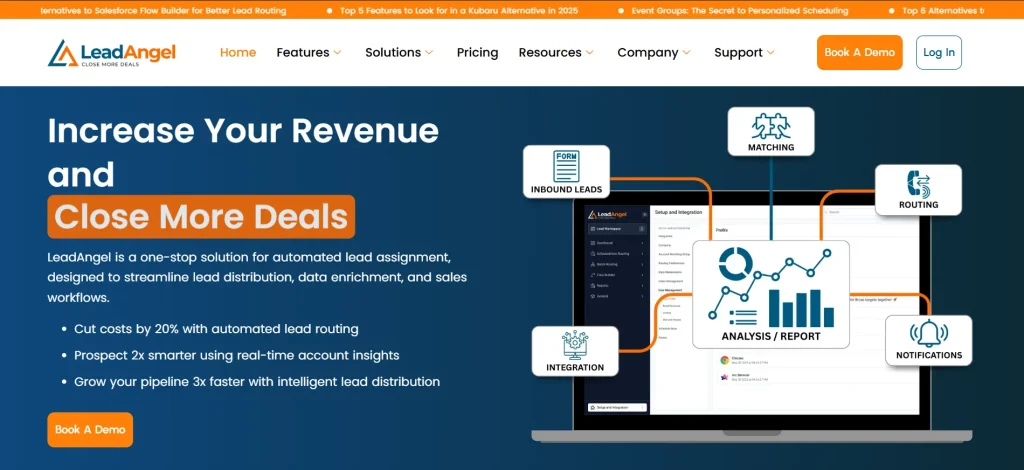
LeadAngel helps revenue teams structure lead-to-account matching and routing logic so leads land with the right sales rep at the right time. It reduces CRM friction that duplicates, misrouted leads, and fragmented account ownership cause. For teams operating across multiple territories or sales motions, it brings consistency to how leads enter and move into the pipeline.
Here is how LeadAngel helps in sales pipeline analysis:
- Lead-to-account matching – Links leads to existing accounts for better organization and engagement.
- Real-time lead routing – Sends leads to the right sales reps instantly for faster follow-ups.
- Data cleanup and deduplication – Merges duplicate records to keep your database clean and accurate.
- Advanced reporting – Gives insights into lead flow and performance to support smarter decisions.
- Effortless CRM integration – Works seamlessly with Salesforce, HubSpot, and Microsoft Dynamics 365.
These features help startups manage leads better, save time, and boost sales results.
Analytics Tools for Sales Pipeline Insights
Analytics tools help startups transform sales data into actionable insights. They make it easier to track trends, address issues, and make informed decisions to improve pipeline performance. Here are some sales pipeline analytics tools to consider:
Tableau
Tableau simplifies data analysis with interactive dashboards and real-time reports. It allows startups to monitor pipeline progress, identify trends, and forecast sales. Its scalability makes it a reliable option for businesses that are growing. To maximize Tableau’s capabilities, a reliable tableau consulting company can provide the expertise needed for effective implementation and data-driven decision-making.
Power BI
Power BI, by Microsoft, is a cost-effective reporting tool. It works well with Excel and Dynamics 365. Suitable for startups using Microsoft products.
Google Data Studio
Google Data Studio is a free tool for reports and dashboards. It connects to Google Analytics and Ads. Perfect for startups with limited budgets.
Common Challenges & Problems In A Sales Pipeline
Sales pipeline degradation typically stems from inconsistent stage exit criteria, weak qualification enforcement, and poor signal-to-stage alignment within CRM architecture. This results in skewed conversion coefficients, inflated opportunity aging metrics, and compromised forecast integrity due to inaccurate deal progression states and fragmented pipeline data hygiene.
Poor Data Quality
Missing or duplicate data can distort sales pipeline metrics and lead to unreliable insights. Regularly clean your database using tools like LeadAngel to merge duplicates and ensure accuracy. Keeping your data reliable helps you make better decisions.
Leads Stalling in the Pipeline
Leads often stall due to slow follow-ups or unclear next steps. Automate reminders and notifications to ensure timely communication. Real-time lead routing tools can also help direct leads to the right sales reps quickly.
Overcomplicated Pipeline Stages
Complex or poorly defined pipeline stages can confuse your team and slow down progress. Simplify your pipeline by focusing on clear, actionable steps that align with your sales process. This keeps your team focused and efficient.
Limited Resources
Small teams and tight budgets often delay follow-ups or create missed opportunities. Invest in affordable tools like LeadAngel to streamline workflows and maximize your team’s output without straining resources.
Lack of Regular Analysis
Skipping regular reviews can allow inefficiencies to persist. Schedule routine check-ins to identify bottlenecks, measure performance, and refine your pipeline. Consistent analysis keeps your sales process effective and adaptable.
Final Words
Sales pipeline analysis is not just a reporting exercise; sales pipeline performance is driven by how consistently opportunities move through clearly defined stages and how accurately CRM data reflects real prospect behavior. Without disciplined pipeline analysis, teams end up working with distorted conversion patterns, unstable forecasts, and opportunities that don’t represent true revenue probability.
When RevOps applies structured analysis, it becomes a live operational layer. It informs forecasting accuracy, highlights execution gaps early, and keeps revenue motion aligned with how prospects actually progress through the funnel.
As sales processes become more complex across territories, inbound channels, and account ownership structures, maintaining pipeline accuracy requires more than manual CRM management.
Revenue teams that combine structured pipeline analysis with CRM automation, lead routing, and lead-to-account matching build the following:
- stronger forecasting accuracy
- faster response times
- healthier pipeline progression
- more predictable revenue growth
Related post content
- How to Build a Strong Sales Pipeline: Complete Guide for 2026
- What Is a Sales Pipeline Tracker and Best Practices
- B2B Sales Pipeline Stages (Everything You Need)
- 6 Best Sales Pipeline Automation Software to Consider in 2026
See How LeadAngel Can Transform Your Lead Management
Curious to experience the power of LeadAngel firsthand? We understand!
We're offering a complimentary trial so you can explore LeadAngel's features at your own pace. Once you request a free trial, we'll schedule a personalized onboarding session to ensure you maximize the value of LeadAngel.
Ready to take your lead management strategy to the next level? Request your LeadAngel trial today!
In addition to exploring the platform, we recommend visiting our LeadAngel Help Center for in-depth guidance. Our dedicated customer support team is also available to answer any questions you may have at sales@leadangel.com.
FAQs
A sales pipeline represents the operational flow of opportunities within the CRM. A sales funnel, in contrast, models buyer behavior by analyzing how prospects move through awareness, consideration, and decision stages, focusing on engagement rather than deal ownership or pipeline structure.
Without lead-to-account matching, multiple leads from the same company enter the CRM as disconnected records. That creates a duplicate pipeline, routing confusion, and fragmented account visibility. Matching leads back to the right sales rep account gives sales and RevOps teams cleaner attribution, more accurate forecasting, and better ownership alignment across territories.
Duplicate records usually create inflated pipeline numbers that look healthy until forecast reviews begin. The same account may appear multiple times across leads or opportunities, which distorts conversion rates, coverage metrics, and attribution reporting. Over time, this makes pipeline analysis less reliable and creates unnecessary noise inside your CRM.
Delayed lead response often becomes an early pipeline conversion problem for smaller teams. Real-time lead routing reduces that delay by assigning inbound leads with automation based on territory, ownership, or qualification logic. It allows sales reps to engage prospects while intent and engagement are still active.
Pipeline generation becomes more consistent when sales, marketing, and RevOps align on targeting and qualification from the beginning. Teams generating a reliable pipeline have strong outbound execution, steady inbound demand, clear ICP criteria, and routing processes. This move leads into the hands of the right sales reps.