Key Takeaways
Automated lead management software streamlines the entire process.
It helps you capture, track, and assign leads step by step without much manual effort, making your sales process stay structured and easier to manage.
Faster lead response improves conversion rates.
Automation in the lead management process ensures a lead route to the right sales reps instantly, as it helps sales teams respond quickly and increases the chances of closing deals.
Automated lead management software in 2026.
The top automated lead management software listed in the blog offers different features like routing, scheduling, scoring, and engagement. In this list, some tools offer free plans or trials, while others are paid.
Automation helps teams work faster and maintain accurate data.
Automation reduces manual work effort, eliminates duplicate records, and organizes data. It helps the sales team to work more efficiently along with ensuring better decision-making with more reliable reporting.
Choose the right tool.
The best automated lead management software suits your workflow properly and effortlessly. It should support your team and make lead management smooth and reliable for day to day activities.
In 2026, as the modern business changes its way of marketing, AI is introduced in business, and everyone is trying to implement it in their business for better results and consistent performance.

Managing leads manually leads to missed opportunities, delayed follow-ups, and inconsistent data follow-ups get missed, and data isn’t always consistent. As your business grows, keeping track of everything becomes even harder.
Automated lead management software makes this much simpler. It solves this by capturing, assigning, and nurturing leads automatically—helping sales teams respond faster and close more deals. And also ensure your leads go to the right sales reps promptly.
This makes your team respond faster and work more efficiently. It leads your team to make fewer mistakes and get a clearer process. This means you get more time to talk to prospects and close deals. This is where the right lead management software becomes critical for scaling your sales process.
In this blog, we’ll see how automation helps fix these problems and the best automated lead management software in 2026, its features, and how to choose the right tool for your business.
What is Automated Lead Management?
Automated lead management is the process of using software to manage your leads in an easier and more organized manner with the help of technology.
When a new lead comes in, you can manage each step until they become a customer. This process reduces work, helps your team respond faster, and improves your chances of turning leads into customers. The lead management process is very important. It helps you to manage each lead that comes in.
By doing things one by one, an automated lead management system helps you capture leads, keep track of them, and assign them to the right salesperson. This automated lead management system is very useful. It saves a lot of time. Additionally, it assists you in determining crucial leads so that you can rank them. This is a core function of any lead management software.
It enables you to observe how leads behave, including their interests and interactions with your company. Your staff will be better able to comprehend and communicate with them in a more pertinent manner as a result.
This saves you time and streamlines the procedure. It helps your team collaborate efficiently without being overburdened. It can help your team to collaborate without being overburdened when using lead management software.
Top 8 Automated Lead Management Software (Free & Paid Tools Compared by Industry Experts)
Here, we list out the 8 best lead management software programs that are being compared by industry experts. We took the data and insights from different trusted resources and RevOps experts’ suggestions.
Effective automated lead management tools streamline capturing, tracking, and nurturing leads, ensuring no potential customer is overlooked. These automated lead management tools are very helpful. They make sure that you do not miss any potential customers.
| S. No. | Software Name | Best For | Free | Paid |
|---|---|---|---|---|
| 1 | LeadAngel | B2B Account Matching & Lead Routing | No free trial | Custom pricing |
| 2 | LeanData | Advanced lead routing and sales alignment | No free trial | Custom pricing |
| 3 | Cal | Automated meeting scheduling and lead routing | Free forever | From $12/user/month |
| 4 | ChiliPiper | Instant meeting scheduling and routing | No free trial | From $1,250/month |
| 5 | RevenueHero | Lead scoring and meeting scheduling | 14-day free trial | From $79/month + $25/user |
| 6 | Distribution Engine | Salesforce-based lead routing | No free trial | From $20/user/month |
| 7 | EngageBay | All-in-one crm for small businesses | Free plan available | Starts $12.74/user/month |
| 8 | Outreach.io | Sales engagement and automation | No free trial | Custom pricing |
1. LeadAngel
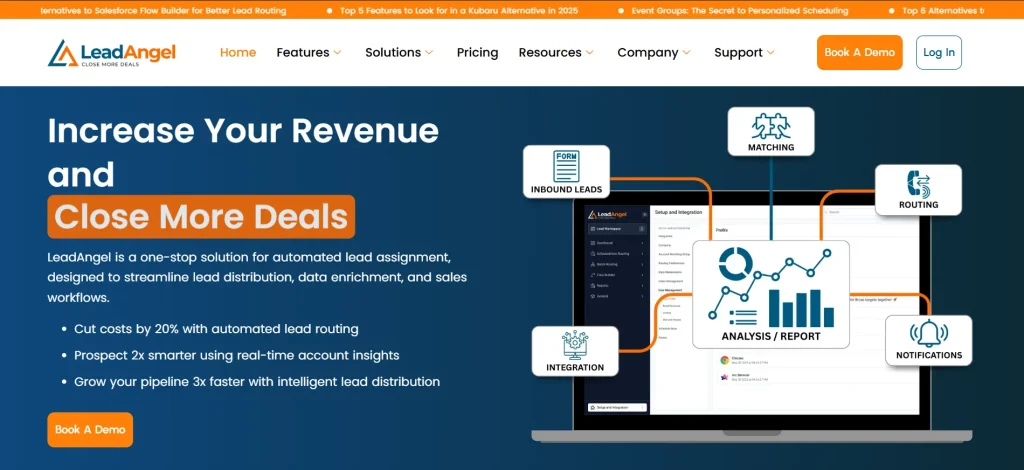
LeadAngel is a reliable tool for managing leads and improving sales processes.
It automates workflows like lead routing, meeting scheduling, and database cleanup, making it a practical choice for B2B sales teams.
This tool is tailored for B2B sales teams, offering features such as lead-to-account matching and real-time lead handoffs to streamline lead management. It is widely used as a lead management software for B2B teams.
With seamless CRM integrations, customizable rules, and real-time reporting, LeadAngel ensures smooth workflows and improved team productivity.
Key Features
- Lead-to-account matching – Matches leads to the correct accounts to minimize duplicates and provide sales reps with a complete lead history.
- Calendar scheduling – Simplifies meeting bookings and automates reminders, keeping engagement timely.
- Advanced lead routing – Assigns leads based on business-specific rules like geography or interest.
- On-the-spot handoffs – Ensures fast and smooth lead transfers for timely follow-ups.
- Data deduplication – Cleans duplicate entries to maintain an accurate and organized database.
- Offline scheduling – Allows meeting scheduling without internet connectivity, perfect for field teams.
- Reporting and analytics – Provide insights into lead performance and team productivity.
- CRM integration –LeadAngel works seamlessly with Salesforce, HubSpot, and other platforms.
Pricing Plans
- Professional: Stay ahead with smart lead routing and accurate account matching. You can easily manage, track, and analyze every lead that can help your team deal faster. This is very important because it helps you to know which leads are more likely to become customers.
- Professional Plus: Professional Plus is an option to take your sales process further with automated lead routing, cleaner data, and smooth SDR-to-AE handoffs in real time.
You can also opt for a custom pricing option that fits your business needs and scales as you grow. This custom pricing option is very flexible. It helps you to choose a plan that fits your business.
Sign up for free or book a demo with LeadAngel today!
2. LeanData

Source: LeanData.com
LeanData focuses on improving lead routing and account matching for seamless marketing and sales alignment. Its customizable workflows ensure leads are directed to the right teams efficiently.
LeanData also provides advanced reporting to measure routing performance, making it a strong lead management software for large teams.
Key Features
- Automated lead routing – Routes leads to the appropriate sales reps based on custom criteria.
- Account matching – Links lead to existing accounts for better data alignment.
- Analytics and reporting – Tracks routing performance and provides actionable insights.
Pricing Plans
- Standard Edition: Standard Edition is an option to automate core lead processes, improve matching, and keep data clean with minimal effort. The Standard Edition is very easy to use. It helps you to automate your lead processes.
- Advanced Edition: Enterprise Edition is an option to manage large-scale operations with full automation and dedicated support. The Enterprise Edition is very useful. It helps you to manage your large-scale operations.
- Premium Edition: Premium edition is an option to handle complex workflows with advanced automation and segmentation.
- Enterprise Edition: Manage large-scale operations with full automation and dedicated support.
Custom pricing options are available to fit your needs. These custom pricing options are very flexible, as they help you to choose a plan that suits your business.
3. Cal.com
Source: Cal.com
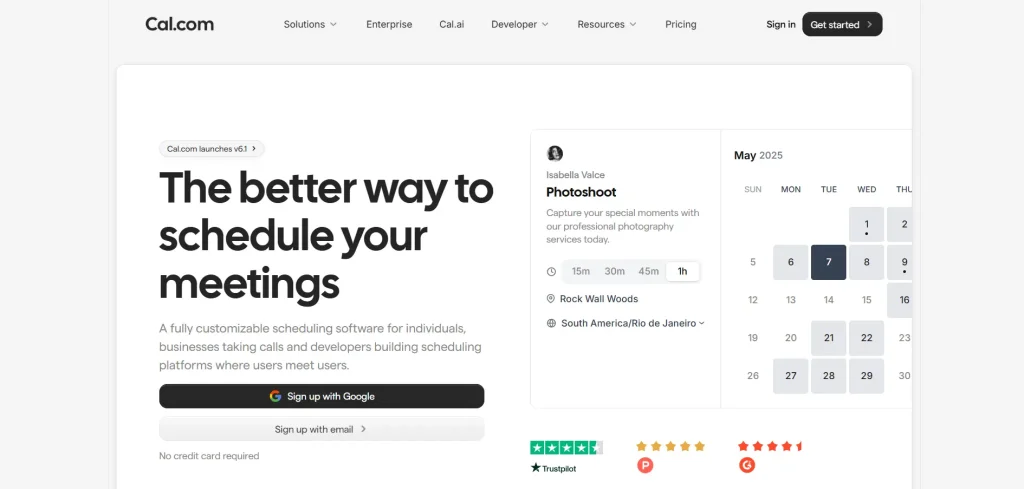
Cal.com is one of the more unique lead management platforms as it helps teams optimize their speed-to-meeting and response time speed for leads. Both these optimizations are specifically geared to help sales teams improve conversion rates and influence revenue.
With features like round-robin scheduling, custom routing forms, and complete API support for integrations with existing workflows, Cal.com offers a competitive advantage to sales teams allowing them to automate their lead management workflows.
Key Features
- Automated meeting scheduling – Cal.com automatically qualifies, routes, and schedules a meeting at the earliest with the right representative for every lead
- Round-robin scheduling – To ensure fair workload distribution, Cal.com supports all types of round-robin scheduling, including weighted round-robin scheduling with custom logic
- API-first architecture – Thanks to its excellent integration capabilities, Cal.com can integrate into any existing workflow with over 3,000 workplace app integration options out of the box
Pricing Plans
- Free: Cal.com has a free plan that’s free forever to use for individuals
- Teams: The Teams plan from Cal.com is priced starting at $12/user per month, billed annually
- Organization: The Organization plan is priced starting at $28/user per month, billed annually
- Enterprise: The Enterprise plan comes with custom quote-based pricing
4. ChiliPiper

Source: ChiliPiper.com
ChiliPiper accelerates lead engagement by automating meeting scheduling and lead routing. It enables prospects to book meetings instantly, ensuring faster follow-ups.
The platform supports advanced workflows customized to unique business needs. ChiliPiper helps businesses convert leads faster and enhance overall customer experience.
Key Features
- Inbound lead routing – Instantly assigns leads to available sales reps.
- Real-time meeting scheduling – Enables leads to book appointments directly from landing pages.
- Custom workflows – Tailors workflows to suit specific business processes.
Pricing Plans
- Routing & Scheduling: Routing & Scheduling is a feature that automatically turns inbound traffic into booked meetings starting at $1,250/month. This feature is beneficial as it helps you to turn your inbound traffic into booked meetings.
- Experiences: Experiences is a feature that engages and qualifies visitors with agent-powered experiences starting at $3,500/month. This feature is very useful. It helps you to engage and qualify your visitors.
5. RevenueHero
Source: RevenueHero
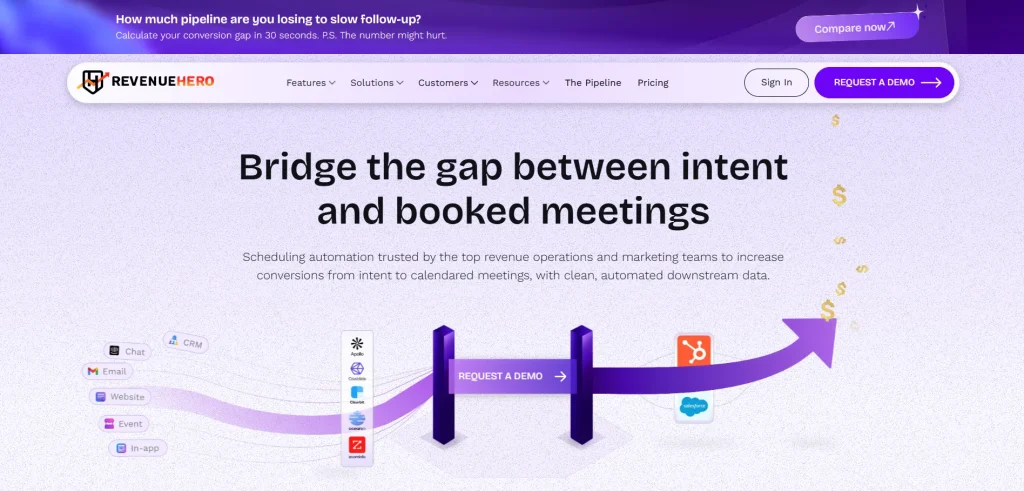
RevenueHero automates lead prioritization and engagement with real-time scoring and scheduling tools. It simplifies the process of identifying high-value leads for faster conversions.
It supports smooth workflows across teams, as RevenueHero works well with CRM. RevenueHero is ideal for businesses looking to optimize their lead response strategies.
Key Features
- Lead scoring – Evaluates and ranks leads based on engagement and behavior.
- Automated meeting scheduling – Allows quick appointment setups for faster follow-ups.
- CRM integration – Ensures smooth data flow across platforms.
Pricing Plans
- Essentials: Essentials is an option to grow your meeting bookings across channels with a $79/month base fee and $25 per user/month. The Essentials option is very affordable. It helps you to grow your meeting bookings.
- Enterprise: Enterprise is an option to drive higher inbound conversions at scale with a $79/month base fee and $35 per user/month. The Enterprise option is very useful. It helps you to drive higher inbound conversions.
6. Distribution Engine

Source: nc-squared.com
Distribution Engine is a Salesforce-native tool specializing in rule-based lead routing and performance tracking. It ensures fair and accurate lead assignments based on custom business criteria.
This tool supports sales and marketing teams by monitoring efficiency and routing performance. It’s a valuable addition for Salesforce users who want to optimize lead flow.
Key Features
- Custom lead routing – Assigns leads based on specific business rules.
- Performance tracking – Monitors routing efficiency and sales team performance.
- Salesforce integration – Provides seamless functionality within the Salesforce environment.
Pricing Plans
- Starter – A simple plan to begin with at $20 per user/month.
- Advanced – Added features for scaling teams at $35 per user/month.
- Unlimited – Complete access to everything at $55 per user/month.
7. EngageBay

Source: EngageBay.com
EngageBay combines sales, service, and marketing automation platforms in a single solution. It simplifies the lead generation process by automating tasks like lead scoring, segmentation, and nurturing, making it ideal for small businesses.
The platform supports both free and paid plans, ensuring affordability and scalability. EngageBay is a cost-effective choice for businesses looking to enhance their lead generation efforts while simplifying lead management software.
Key Features
- Lead scoring and segmentation – Rank leads based on activity and behavior to manage lead data effectively.
- Email marketing automation – Send personalized campaigns to simplify the lead generation process.
- Sales pipeline management – Visualize and track leads through different sales stages.
- Live chat and helpdesk – Support leads in real-time to improve engagement.
Pricing Plans
- Free Plan: Up to 250 contacts.
- Basic Plan: $12.74 per user per month.
- Growth Plan: $55.24 per user per month.
- Pro Plan: $101.99 per user per month.
8. Outreach.io
Source: Outreach.io
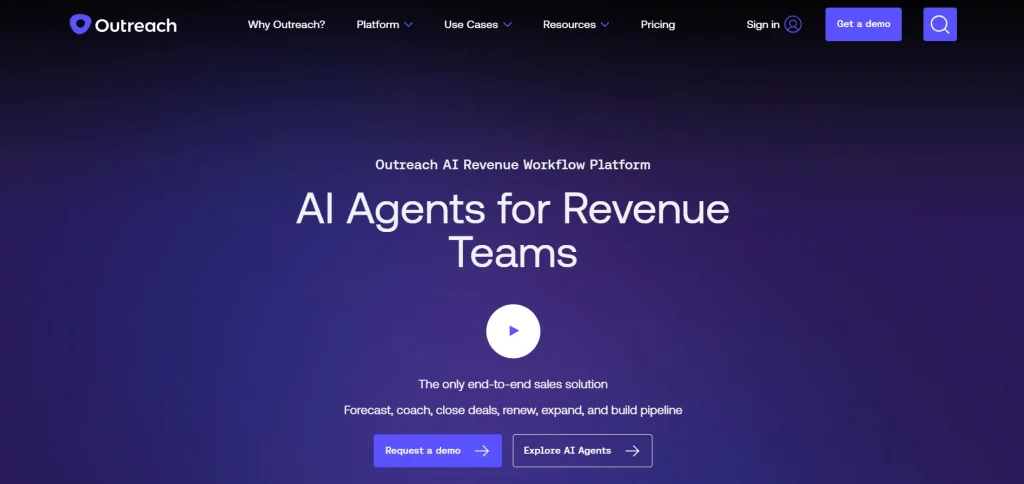
Outreach.io is a sales platform that helps businesses handle leads more easily by automating follow-ups, assigning leads, and keeping track of their activities.
It allows sales teams to focus on important leads and regularly contact prospects.
Outreach.io works well with CRMs, creating a single space to monitor lead activities and help teams work together more effectively.
Key Features
- Automated follow-ups – Set up and send personalized emails to keep leads interested.
- Lead prioritization – Use smart tools to focus on the most promising leads.
- Activity tracking – Keep an eye on how leads respond to emails, calls, and other communications.
- CRM integration – Connect with tools like Salesforce and Microsoft Dynamics for smooth data sharing.
Pricing Plans
- Amplify Core: Launch quickly with AI agents for pipeline and account management, including 25,000 AI credits.
- Amplify Plus: Accelerate revenue with AI-driven meeting support, follow-ups, and coaching, including 50,000 AI credits.
- Amplify Pro: Orchestrate your full revenue lifecycle with advanced AI insights and forecasting, including 100,000 AI credits.
Benefits of Automated Lead Management Software
Automated lead management software offers several advantages that can help businesses improve their sales process and achieve better results.
Here are the key benefits:
- Faster lead response times: Automation ensures that leads are captured and routed to the right team instantly, reducing delays in follow-ups.
- Improved lead tracking and prioritization: By tracking lead activity and assigning scores based on engagement, businesses can focus on leads most likely to convert.
- Better conversion rates: With a streamlined process, businesses can improve their ability to convert leads into paying customers.
- Optimized Lead Scoring & Qualification: One of the benefits of automated lead management software is Optimized Lead Scoring & Qualification. This feature helps the sales teams to focus on the leads that are most likely to convert. Automated lead management software does this by using data insights to rank the prospects based on their behavior. The sales teams can then concentrate on the leads that automated lead management software shows are most likely to convert. This is because automated lead management software uses Optimised Lead Scoring & Qualification to help the sales teams make the most of their time.
- Improved Data Accuracy & Insights: Another key benefit of automated lead management software is Improved Data Accuracy & Insights. This feature provides you with a picture of your pipeline that improves planning and keeps all of your data in one location.
- Increased productivity: Sales teams can save time by eliminating repetitive tasks through sales automation and focusing on building relationships with qualified leads..
- Consistent lead nurturing: Automated workflows enable personalized communication, keeping prospects engaged throughout the sales journey.
All things considered, these are the kinds of routine enhancements that demonstrate the true benefits of automated lead management software; it simply makes teams function more efficiently without adding unnecessary complexity.
Common Challenges in Lead Management Without Automation
Managing leads manually can create several obstacles that hinder sales and marketing efforts. Here are some common challenges businesses face without automation:
Delayed response times: Manually managing leads often leads to slower follow-ups, causing businesses to miss out on potential sales opportunities. Automation ensures leads are routed and responded to instantly.
Duplicate entries: Without a system to clean and organize data, duplicate records can clutter databases, creating confusion and inefficiencies. Lead management software automatically detect and remove duplicates.
Inconsistent lead distribution: Manual routing can result in uneven lead assignments, overwhelming some team members while leaving others idle. Automated tools ensure fair and efficient distribution.
Missed follow-ups: Manually tracking follow-ups can lead to errors and missed opportunities. Automation provides reminders and schedules tasks to ensure consistent communication.
Lack of insights: Without tracking tools, businesses struggle to gain insights into lead behavior, making it difficult to prioritize and tailor their approach. Automated systems provide detailed analytics for better decision-making.
How Do Automated Lead Management Systems Work (Step-by-Step)
Automated lead management software simplifies and organizes the process of handling leads through a series of interconnected steps, forming a key part of automated lead lifecycle management.
This is how it operates:
Step 1: Capture Leads
Your system automatically gathers leads from several sources. It can include social media platforms, email enquiries, website forms, and marketing efforts.
This lowers the possibility of missing out on important possibilities. It ensures that you automatically record every prospective client in your database.
Step 2: Deduplication of Data
The algorithm looks for duplicates and either merges or eliminates them after you capture leads.
Data deduplication helps you avoid misunderstandings while communicating or following up and it also helps you to keep your database tidy.
Step 3: Assign Leads Automatically
When the data is cleansed, you can automatically assign leads to the relevant teams or salespeople.
To guarantee that the appropriate individual manages each lead, assignments are based on predetermined criteria, such as location, product interest, or skill.
Step 4: Monitoring Leads
You can monitor lead-related interactions, including website visits, email engagement, or downloads, instantly.
This offers a thorough record of every lead’s actions. It assists sales teams in comprehending their interests and personalizing their communication.
Step 5: Assess Lead Value
The system allots a score to every lead according to its activity, engagement, and alignment with your business.
These scores help in identifying high-priority leads as it allows sales teams to concentrate their efforts on the most promising prospects.
Step 6: Timetabling and Check-Ins
Automated systems arrange follow-ups and dispatch reminders to sales teams, guaranteeing prompt communication with prospects.
It involves arranging meetings, dispatching confirmation emails, or tracking inquiries autonomously.
Step 7: Lead Nurturing
Not every lead is ready to purchase immediately. Automated workflows deliver targeted messages, such as informational emails or offers, to keep leads engaged until they are ready to move forward.
This consistent contact builds trust and maintains interest.
Step 8: Lead Conversion
In the final step, the system helps streamline the conversion process.
It provides sales teams with all the data and tools needed to close deals efficiently, ensuring a smooth transition from lead to customer.
How can LeadAngel help you in Lead management?
Lead management shouldn’t be tough or take up a lot of time. You know that automation helps teams stay on top of every opportunity. It does not feel much to handle when it brings structure, clarity and speed to the whole process.
When you are looking for automated lead management systems in 2026, it is very important to pick a tool that automates tasks and works well with what you are already doing. LeadAngel is really good at this. It helps make sure that every lead is taken care of quickly and correctly with things like lead routing, lead-, to-account matching and real-time handoffs.
The best solution is one that makes your sales process more reliable, smooth and easy to manage for your team every day. LeadAngel simplifies lead management by automating routing, matching and handoffs.
See How LeadAngel Can Transform Your Lead Management
Curious to experience the power of LeadAngel firsthand? We understand!
We're offering a complimentary trial so you can explore LeadAngel's features at your own pace. Once you request a free trial, we'll schedule a personalized onboarding session to ensure you maximize the value of LeadAngel.
Ready to take your lead management strategy to the next level? Request your LeadAngel trial today!
In addition to exploring the platform, we recommend visiting our LeadAngel Help Center for in-depth guidance. Our dedicated customer support team is also available to answer any questions you may have at sales@leadangel.com.
FAQs
A CRM is where you store customer data. Automated lead management helps you handle leads automatically, like capturing and assigning them.
It captures leads right away. It sends them to the right salesperson quickly, so no time is wasted.
Lead routing sends leads to the right person. It uses simple rules like location or who is available.
It checks if the same lead comes more than once. Then it removes or combines them to avoid confusion.
You can track how fast you respond. You can also track how many leads turn into customers and how long it takes to close them.