Shortlisted Tools
| Tool | Best for | Pricing | Why We Chose It |
|---|---|---|---|
| LeadAngel | B2B teams on Salesforce, HubSpot, or Dynamics 365 that need matching + routing before booking | Custom (Professional & Professional Plus); free trial on request | Routes on account ownership before availability |
| Chili Piper | Instant form-to-meeting booking, rule-based routing, native Salesforce/HubSpot sync | Free; Paid plan starts at $22.5/month/seat | Fastest inbound conversion, backed by strong support |
| Cal.com | Advanced routing forms, API-first, broad integrations (Slack, Zoom, Stripe, Salesforce) | Free (1 user); Teams $12/user/month; Organizations $28/user/month | Cheaper team scheduling with self-hosting for data control |
Calendly has been everyone’s favorite for scheduling meetings. It is usually easy to set up and navigate. It is ranked at the top in G2 and other trusted platforms for meeting booking. Teams find Calendly to be the best tool for individuals or small teams. Then why are there searches around the internet for Calendly alternatives?
Could it be that B2B teams have outgrown the common scheduling system? Most teams start looking for Calendly options when scheduling becomes part of the sales process, not just a calendar task. At that point, the question changes from “when is someone free?” to “who should own this meeting?” Many scheduling apps like Calendly answer only the first question. Another factor is that they find its features limited. Or, to be more precise, is there some problem with its pricing model?

Whatever the reasons are, we will discuss them in this blog, which is written for RevOps, Sales Ops, and SDR leaders. We cover free and lower-cost Calendly alternatives for smaller teams and 8 alternatives.
The best Calendly alternatives for 2027 are LeadAngel, Chili Piper, Cal.com, Acuity Scheduling, SavvyCal, Lunacal, HubSpot Meetings, and zcal. For B2B sales teams that need meetings routed to the right account owner in Salesforce, HubSpot, or Microsoft Dynamics 365, choose LeadAngel or Chili Piper. For cheaper team scheduling, choose Cal.com. If you need a free tool, choose zcal or Cal.com, and if you sell paid appointments, choose Acuity.
What Is Calendly?
Calendly is an online appointment scheduling platform that allows users to book meetings and appointments with personalized meeting booking links that show the host’s real-time availability. The software checks availability before booking a slot. It has a rating of 4.7 out of 5 on G2.
Calendly offers various features; they are
- event type,
- meeting polls,
- reminders and follow-ups,
- meeting routing,
- analytics, and
- admin control.
It is well praised for its ease of use and integration capabilities. The software integrates with different Google & Microsoft ecosystems, video conferencing, payment processors, sales & CRM, AI integration, and, since August 2026, the AI tools Notetaker and Callie.
Here is Calendly pricing mentioned in a table.
| Plan | Price | Features |
|---|---|---|
| Free | 0 | Scheduling |
| Standard | $10/seat/month | Scheduling, Payments |
| Teams | $16/seat/month | Scheduling & Routing |
| Enterprise | Starts with $15k/year | Scheduling, Callie, NoteTaker, Routing |
Why Do B2B Users Look For Calendly Alternatives?
B2B teams are really frustrated with Calendly, even though it is one of the best. The primary reason is that it focuses heavily on end customers, or individuals, and not on B2B enterprise teams.
Most people use Calendly for their personal scheduling and casual appointment booking, and that’s why businesses have moved to better Calendly options. Most teams start looking for Calendly options when scheduling becomes part of the sales process, not just a calendar task.
The common complaints are about limits rather than quality. The free plan is restrictive, team features are per seat, and CRM-aware routing sits behind higher tiers. Those complaints explain most searches for Calendly alternatives. B2B teams usually leave Calendly for one of five reasons. Owner-based routing is priced at the enterprise level. Availability-based booking sends meetings to the wrong rep. The free plan is too limited, CRM integration is too shallow, or per-seat costs add up across a growing team.
Here are the top reasons why businesses search for Calendly alternatives.
Pricing
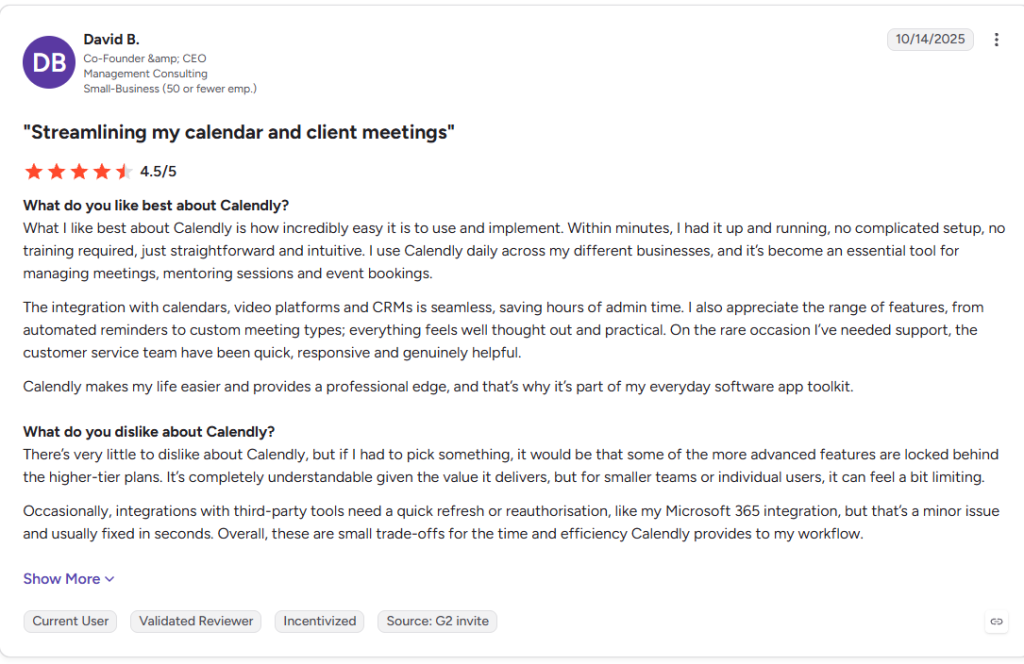
One of the biggest reasons teams often search for “apps similar to Calendly” is that it provides essential features in its Enterprise plan. Teams need basic routing in the base plan. On Calendly, routing forms and round robin are available on Teams. Routing a prospect to their existing Salesforce account owner (“route with Salesforce lookup”) requires an Enterprise plan, which starts at $15,000 a year and has a 50-seat minimum.
What that means in practice:
Scenario
A Calendly plan is needed.
Approximate annual cost
- 10 reps, round robin only
Teams
10 × $16 × 12 = $1,920
10 reps must route to the Salesforce account owner
Enterprise
From $15,000 (50-seat minimum)
For a 10-rep team, owner-based routing raises the Calendly bill about eight times. That one jump drives many evaluations of Calendly alternatives for B2B sales.
Source: https://www.g2.com/products/calendly/reviews/calendly-review-11804579
Limited Options in Free Plan
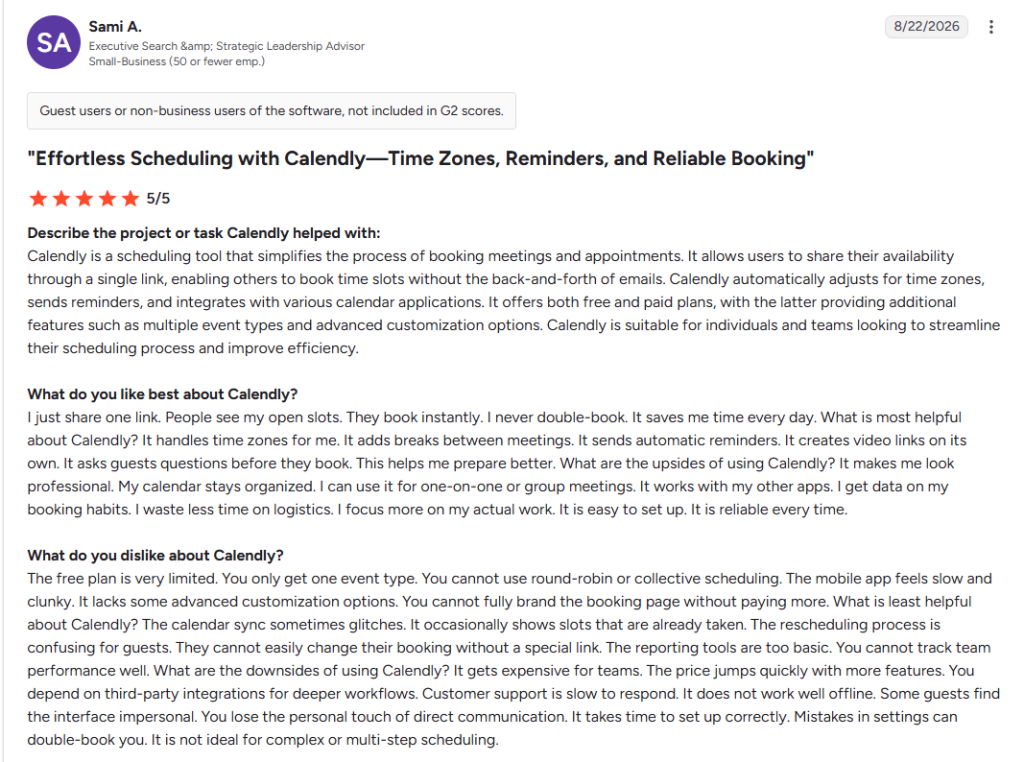
According to a review posted on G2, the options in the free plan are limited. Calendly’s free plan allows one active event type and one calendar connection, with no automated reminders, and users cannot use round-robin or collective scheduling. The software’s mobile application has glitches and shows already booked slots as available. G2 reviewers also mention that round robin and collective scheduling aren’t available for free. That gap drives searches for a free Calendly alternative.
Source: https://www.g2.com/products/calendly/reviews/calendly-review-13345297
Routing Limitations
Calendly and apps similar to Calendly have their primary focus on meeting scheduling. These tools offer basic routing techniques like round robin or weighted lead routing. It becomes an essential bottleneck for B2B teams as they often look for tools that can handle advanced routing and scheduling tasks in one workflow.
Setup and Integration Issues
Calendly reviews on G2 show that some advanced features take time to set up, and their configuration requires additional steps. Calendly logs meetings to Salesforce and HubSpot on paid plans. But Microsoft Dynamics 365 is enterprise-only. Calendly doesn’t dedupe leads, convert leads to contacts, or route accounts and opportunities. Teams that need clean CRM records after the booking often add a separate tool. Some G2 reviewers also say advanced features take extra steps to configure. It also explains that the free version does not offer any reminders or email notifications to users before a meeting.
Source: https://www.g2.com/products/calendly/reviews/calendly-review-12135172
What Are the Best Calendly Alternatives for Sales Teams? (Top 8 Calendly Alternatives Tested by Experts)
Our expert team has tested and used many tools to check the best fit and ease of use for Calendly replacement. Here are some of the top alternatives to Calendly you can use.
| Tool | Key Features | Pricing | Why We Chose It |
|---|---|---|---|
| 1. LeadAngel | Lead-to-account matching, online & offline scheduling, meeting routing beyond round-robin (capacity, territory, product interest), native Salesforce/HubSpot/Dynamics 365 sync | Custom (Professional & Professional Plus); free trial on request | The only tool on this list that routes on account ownership before it checks availability, built for enterprise B2B teams |
| 2. Chili Piper | Instant form-to-meeting booking, rule-based routing by territory and business logic, native Salesforce/HubSpot sync, round-robin across Concierge/Distro/Handoff | ChiliCal Teams from $15/user/month; legacy products ~$45/user/month + $225–$1,500 platform fee | Fastest inbound conversion—a form submit becomes a booked meeting in seconds, with strong support behind it |
| 3. Cal.com | Advanced routing forms, API-first infrastructure, integrations with Google Calendar, Slack, Zoom, Stripe, Salesforce, HubSpot | Free (1 user); Teams $12/user/month; Organizations $28/user/month; Enterprise custom | Lower cost for team scheduling than Calendly, self-hosting for data control, and CRM sync included on the free tier |
| 4. Acuity Scheduling | Intake forms, native payment collection (Stripe/Square/PayPal), packages and memberships, class/group booking, AI Booking Assistant | Starter $16/mo; Standard $27/mo; Premium $49/mo (per business, not per seat) | Handles the full appointment transaction—booking and payment together—at a flat business price instead of Calendly’s per-seat cost. |
| 5. SavvyCal | Calendar overlay scheduling, ranked availability, overload protection, custom domain on Premium | Basic $12/user/month; Premium $20/user/month | Rated ahead of Calendly on both ease of use and quality of support in G2’s direct comparison |
| 6. Lunacal | Rich booking pages (video, testimonials, files), multi-session packages, AI-powered reminder calls, no SMS OTP requirement | Standard $9/user/month; Teams $15/user/month; Enterprise $25/user/month | Highest G2 rating on this list (4.9), with a booking page that can actually sell before the meeting happens |
| 7. HubSpot Meeting Scheduler | Native CRM logging, AI pre-meeting prep, AI-generated follow-ups, round-robin on paid tiers | Free on HubSpot’s free CRM; Sales Hub Professional from ~$90/seat/month | Zero sync layer for teams already running HubSpot—a meeting is a CRM activity the instant it’s booked. |
| 8. zcal | Unlimited invite links and polls on the free plan, personalized booking pages, round-robin for team pages | Free forever; zcal Pro ~$7/seat/month | Matches or beats Calendly’s free tier on features, with more visual personalization at a fraction of the cost |
After researching a lot of tools, here are the tools that are the best alternatives to Calendly.
1. LeadAngel
Best for: B2B teams on Salesforce, HubSpot, or Microsoft Dynamics 365 that need each meeting matched to the right account and routed to the right owner before it’s booked.
G2 Rating: 4.5
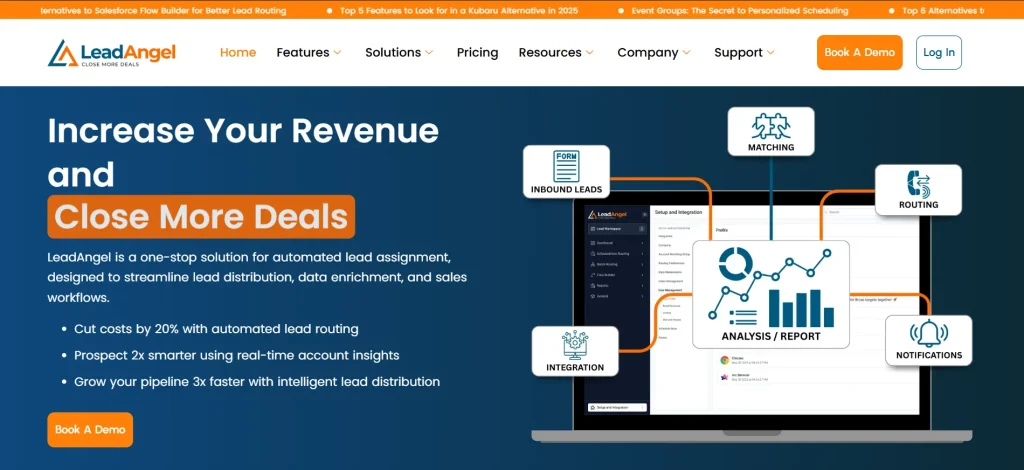
LeadAngel is a B2B lead management platform, best for a Calendly alternative. It combines lead routing, lead-to-account matching, calendar scheduling, and data deduplication. Meeting scheduling and data deduplication are a part of the wider lead routing platform. The software integrates Salesforce, HubSpot, and Microsoft Dynamics 365.
LeadAngel offers multiple features for meeting scheduling and routing. It allows prospects to easily schedule meetings with the sales rep according to the available time slots without going to another page.
Key features
LeadAngel provides all the core features you’d expect from a scheduling tool and also solves real-time complex routing problems.
- Online scheduling (ScheduleNow for Web Forms): prospects book a meeting right after submitting a web form. LeadAngel routes the lead in real time and shows the assigned rep’s availability. A fallback assignee is used if no match is found.
- Offline scheduling (ScheduleNow for HandOff): SDRs book meetings for account executives from the CRM record after routing. Features include preferred time selection, assignment rollback, and assignment to managers.
- Event types – LeadAngel supports standard one-on-one meetings, collaborative, and joint calendar events. It keeps secret events hidden on the public booking page.
- Customization options – Booking forms and event templates are configurable. Admins can standardize event types and make them live to the organization.
- Reminders and follow-ups—LeadAngel automatically sends customized email reminders to confirm appointments and prevent no-shows. Teams can reschedule and cancel links in every invite by themselves.
- Meeting routing – LeadAngel’s router auto-assigns prospects to the best-suited rep based on predefined rules and uses lead-to-account matching to gain accurate results.
- Advanced Integration– Supports native two-way sync with Google Workspace and Microsoft Office 365.
- Broader Routing Criteria: LeadAngel supports different routing rules beyond the round-robin rules. It supports capacity-based, availability-based, territory, product interest-based, and real-time lead hand-off rules.
- On the Spot Transfer (add-on): real-time SDR-to-AE handoff with calendar-based assignment, live claim, broadcast, and Slack or Microsoft Teams notifications.
“I like that LeadAngel helps a lot by switching from manual to automatically routing leads to the right sales reps, so we respond faster and don’t miss opportunities. It’s easy to use and the customer service is very responsive. The initial setup was quite easy with the help of their team. “
- Mariam M, SEO Team Lead
Pros
- According to reviewers on G2, LeadAngel is responsive, easy to use, and navigates easily and efficiently. Matches and routes leads before booking, which cuts down on wrong-owner meetings and duplicate leads.
- Uses advanced fuzzy logic and techniques like tie-breaker, account boost, and must match fields for highest accuracy
- Routing logic covers Lead, Contact, Account, and Opportunity objects.
- Advanced support for three CRMs and has a separate routing engine. Hence, it simply integrates with the CRM and does not replace it.
- Scheduling, routing, matching, and deduplication in one product family, so fewer tools to maintain.
- LeadAngel states it is GDPR and SOC 2 compliant and can go live in under three hours without a developer.
Cons
- Pricing is custom tier based, so you need to contact the sales team before making your decision.
- Built for enterprise B2B sales teams.
Pricing
LeadAngel offers custom tier-based pricing plans (Professional and Professional Plus) along with a free trial, which is available on request.
- Free plan: LeadAngel offers a free plan and a demo on request.
- Professional: Includes two-way lead to account matching, lead routing, and email/portal based support. Data deduplication, schedule Now for web forms, and hand-offs (calendar scheduling features) are available on request.
- Professional Plus: Includes two-way lead-to-account matching, object-based routing (lead, account, contact, and opportunity), lead and contact processing, lead and contact deduping, ScheduleNow for Web forms and Hand-offs, and dedicated support.
Why choose LeadAngel over Calendly?
Calendly schedules meetings by checking who is available at the moment. But LeadAngel books meetings by checking the account owner and sales rep availability. It supports multiple calendars and different time zones, along with advanced routing and account matching capabilities.
Hence, LeadAngel is the best alternative to Calendly for B2B enterprise teams.
Website. leadangel.com
2. Chili Piper
G2 Rating: 4.6
Chili Piper is one of the strongest Calendly alternatives as it is renowned for B2B teams inbound meeting scheduling. It converts a form submission into a booked meeting in seconds, and it built its reputation on that instant-booking flow for inbound demand generation teams.
Across a wide base of G2 reviews, the pattern is consistent: reviewers call out fast, hands-on support and a named CSM team, and rate routing customization highly for complex assignment rules.
The friction shows up post-launch: reviewers note that ongoing maintenance and form UX “need proactive attention,” meaning the tool needs a maintained owner, not a set-and-forget config. Contract structure is a recurring theme too — annual contracts auto-renew, and reviewers describe them as hard to exit mid-term.
Key features
- Instant meeting booking triggered by form submission, no manual follow-up
- Rule-based lead routing by rep availability, territory, and custom business logic
- Native Salesforce and HubSpot sync, plus Google Calendar and Outlook integration
- Round-robin distribution across Concierge, Distro, and Handoff products
- Live chat-to-meeting conversion through the Chat product
Pros
- Support quality is a standout — G2 comparisons consistently show Chili Piper’s support score ahead of larger competitors like Outreach and Microsoft Outlook
- Round-robin with Salesforce lead creation reportedly works “out of the box with minimal config”
- Low learning curve for reps, despite admin-side power
Cons
- Ongoing form and routing maintenance needs a dedicated owner post-launch
- Annual contracts auto-renew and are reported as difficult to cancel mid-term
- Product line splits across Concierge, Chat, Distro, and Handoff, each billed separately, which adds up for teams needing more than one
Pricing.
Entry-level ChiliCal Teams starts around $15/user/month.
Legacy enterprise products (Concierge, Chat, Distro, Handoff) run roughly $45/user/month plus a platform fee of $225–$1,500/month depending on volume.
Confirm current packaging directly, since structures have shifted.
Why choose Chili Piper over Calendly?
Chili Piper’s form-to-meeting conversion is instant and native, where Calendly needs the Teams plan and manual configuration to approximate the same speed, and its routing logic handles territory and business-rule complexity Calendly’s routing forms don’t reach.
Website. chilipiper.com
3. Cal.com
G2 rating: 4.6
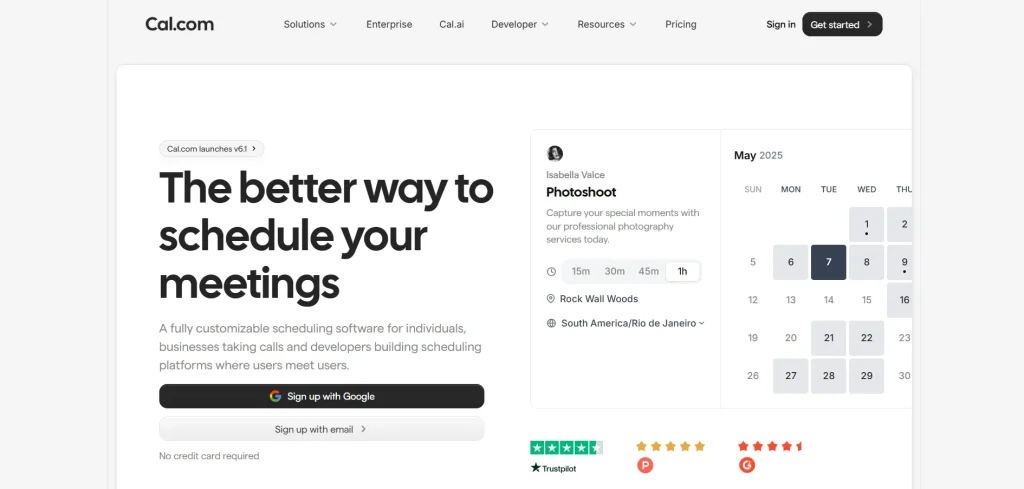
Cal.com is one of the closest alternatives to Calendly. It helps individuals and teams book meetings without the usual back-and-forth. People can share a booking link, show real-time availability, and let others pick a time that works.
What makes Cal.com useful is how flexible it feels. Teams can set booking rules, create routing flows, and connect tools like Google Calendar, Zoom, and Slack to keep meetings running smoothly. Whether it’s a sales demo, interview, customer call, or team check-in, scheduling feels much simpler.
Key features
Advanced Routing Form: Cal.com provides advanced forms for routing that automatically directs meetings to the best-fit salesperson.
API-first Infrastructure: The platform offers custom API infrastructure that helps developers to custom APIs. It optimizes user scheduling experience.
Extensive Integration Capabilities: It offers integration with tools and CRMs like Google Calendar, Microsoft Outlook, Slack, Zoom, Stripe, Salesforce, HubSpot, and Google Meet.
Pros
- Offers a free plan.
- Self-hosting answers data residency and governance.
- Deep, well-documented API for custom booking flows.
Cons
- More settings and screens than Calendly, which slows first-time setup
- Custom domain requires the Organizations plan at $28 per user per month
- No fuzzy account matching engine; routing is form- and rule-based, not CRM-record-aware
Pricing.
- Free plan: Available for a single user, and includes unlimited event types, calendars, mobile app, browser extension and two-way Salesforce & HubSpot Sync.
- Teams: Starts with $12/user/month. Best for small and startup teams. Includes round-robin scheduling, shared availability, customizable SMS and email notifications.
- Organizations: Starts with $28/user/month. Includes unlimited sub-teams. Uses company subdomain, instant meetings and role based permissions.
- Enterprise: Offers custom plan and includes features like dedicated support, priority slack and account support.
Why choose Cal.com over Calendly?
Cal.com has lower prices for Team scheduling as compared to Calendly’s plan. The software also bundles Salesforce & HubSpot sync into the free tier. Calendly gates it behind the paid pricing and its free plan does not offer much features.
Website. cal.com
4. Acuity Scheduling
G2 Rating: 4.6-4.7
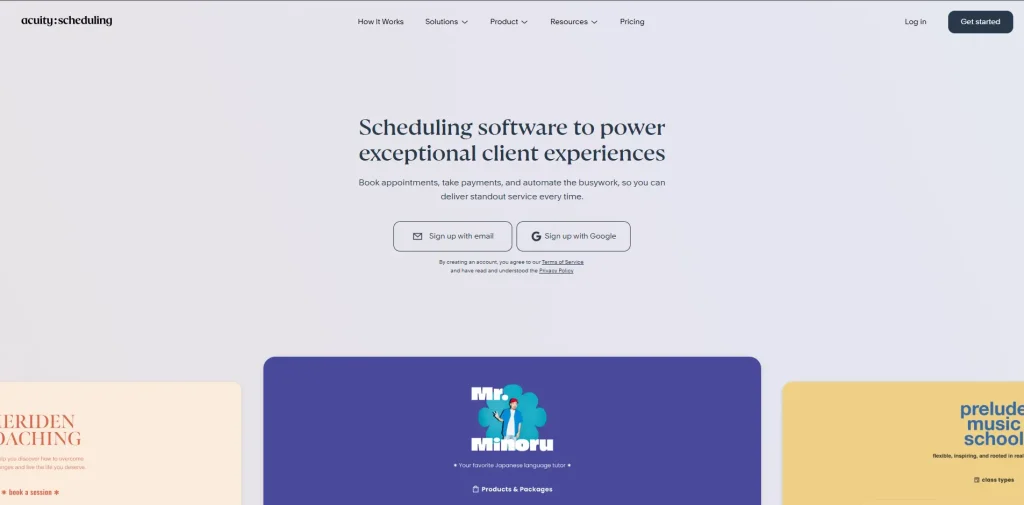
Acuity Scheduling, a Squarespace company, is built for businesses that sell appointments directly: salons, clinics, coaches, consultants. Its strength is the full transaction, not just the calendar slot — intake forms, memberships, packages, gift certificates, and payment collection via Stripe, Square, and PayPal are native.
Reviewers rate it close to Calendly Alternatives for B2B sales on ease of use, and G2’s head-to-head data shows Acuity holding its own on quality of support. The honest limitation, repeated across comparison sources, is that Acuity isn’t built for B2B sales routing: no fuzzy account matching, no territory logic, and round-robin assignment that’s functional but basic next to purpose-built sales tools.
Key features
- Intake forms and custom questions collected at booking
- Payment collection via Stripe, Square, and PayPal, with packages, memberships, gift certificates
- Class and group booking support alongside one-on-one appointments
- Customizable email and SMS reminders (SMS from Standard tier up)
- AI Booking Assistant on Premium, guiding clients to the right service in natural language
Pros
- Strong fit for any business that sells appointments and needs to get paid at booking
- Waitlist support on Standard and Premium helps fill cancellations automatically
- No per-user pricing — one plan covers multiple staff and locations, cheaper at scale than Calendly’s seat model
Cons
- No free plan, unlike Calendly
- Custom CSS is Premium-only ($49/month); no custom domain at any tier
- Minimal team admin: no audit log, no account impersonation, and round-robin routing lacks the territory or account-based logic B2B sales teams need
Pricing. Starter is $16/month (one calendar). Standard is $27/month (up to six calendars). Premium is $49/month (up to 36 calendars). 7-day free trial; annual billing saves about 20%.
Why choose Acuity over Calendly. Acuity bundles payments, packages, and intake natively — features Calendly gates behind paid plans or doesn’t offer at all — and its per-business pricing beats Calendly’s per-user model for a multi-staff service business.
Website. acuityscheduling.com
5. SavvyCal

G2 Rating: 4.8
SavvyCal is built around the invitee’s experience rather than the host’s booking page. Its signature feature lets the person booking overlay their own calendar on top of your availability, so both sides see mutual openings instead of one side scanning a list.
Reviewers give it a high rating on a small review base, and sentiment is unusually consistent: praise for interface polish, the overlay flow, and — repeatedly — the support team’s speed in shipping fixes and feature requests.
Key features
- Calendar overlay scheduling for invitees, reducing back-and-forth
- Ranked availability and preferred time slots
- Overload protection and meeting caps to prevent burnout
- Custom domain and delegated access on Premium
- Unlimited calendars and scheduling links on the entry plan
Pros
- G2 reviewers rate quality of support at 9.3/10, ahead of Calendly’s 9.0 in a direct G2 comparison
- Calendar overlay genuinely reduces friction in finding a mutual time — especially for recruiters and founders booking peer-to-peer
- Feature requests and bug fixes reportedly ship fast, per long-time users
Cons
- No free plan, only a 30-day money-back guarantee
- Lighter CRM integration and routing than sales-focused alternatives; no audit log or admin impersonation
- Reviewers flag per-user cost as steep for individuals versus Calendly’s free tier
Pricing. Basic is $12/user/month. Premium is $20/user/month, adding custom domain and paid bookings.
Why choose SavvyCal over Calendly. In G2’s direct comparison, SavvyCal edges Calendly on ease of use (9.6 vs 9.4) and quality of support (9.3 vs 9.0), and its overlay scheduling is a genuinely different, more collaborative flow than Calendly’s list-of-slots page.
Website. savvycal.com
6. Lunacal
G2 Reviews:4.9
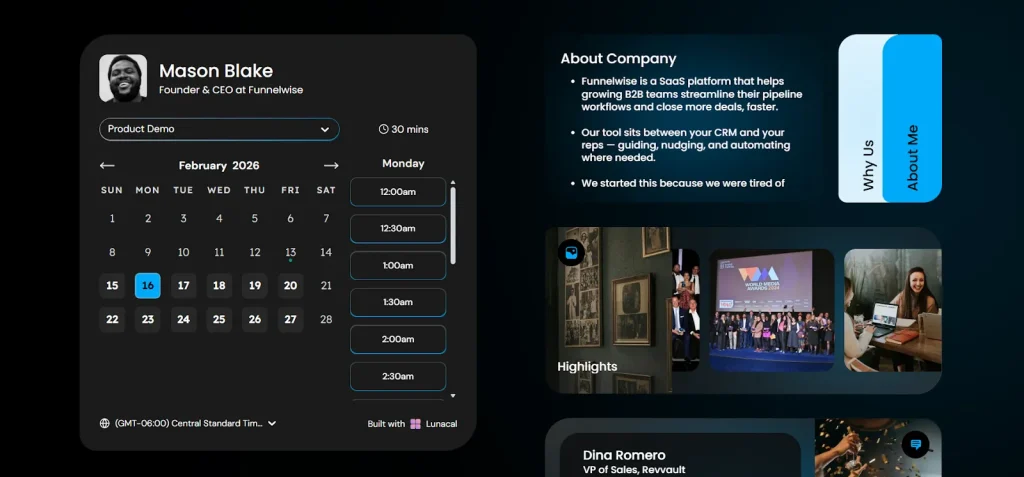
Lunacal positions itself as a low-cost, brand-forward Calendly alternative for small businesses, coaches, and sales teams that want a booking page that does more than schedule — carrying testimonials, files, videos, and proof points that answer objections before someone books.
Hands-on testing cross-checked against G2, Capterra, and Trustpilot found the extra page content genuinely useful, support response times fast, and setup for multi-session packages and Stripe/PayPal payments straightforward.
The most consistent real-world limitation across reviews is time zone visibility: a G2 reviewer noted the time zone cue in booking details is “easy to overlook” when moving fast across regions — worth testing directly if your team books across the US, EU, and Australia often.
Key features
- Booking pages supporting videos, testimonials, files, and links alongside the calendar
- Multi-session packages, coupons, and discounts for paid-session businesses
- Team scheduling: round-robin, collective scheduling, routing-style booking flows
- SMS and email reminders, plus AI-powered reminder calls
- Calendar sync with Google, Outlook, and Apple Calendar; Google Meet, Teams, Zoom, and offline meetings supported
Pros
- Support is repeatedly described as fast and handled by a human agent, not a bot, across Trustpilot and AppSumo reviews
- Booking page customization goes well beyond Calendly’s template-based options
- No OTP phone verification required for text reminders, unlike Calendly’s 2026 policy change
Cons
- Time zone cues in the booking flow can be easy to miss during fast-moving cross-region scheduling
- Heavy customization means setup takes longer for first-time users hunting for a specific setting
- Not built for enterprise-grade routing or deep workflow automation
Pricing. Standard is $9/user/month. Teams is $15/user/month. Enterprise is $25/user/month.
Why choose Lunacal over Calendly?
Lunacal’s booking page can actually sell — context, proof, files — before a prospect commits to a time, and it skips the SMS OTP friction Calendly introduced in mid-2026, all at a lower per-seat price than Calendly Standard.
Website. lunacal.ai
7. HubSpot Meeting Scheduler
G2 Review: 4.4/5
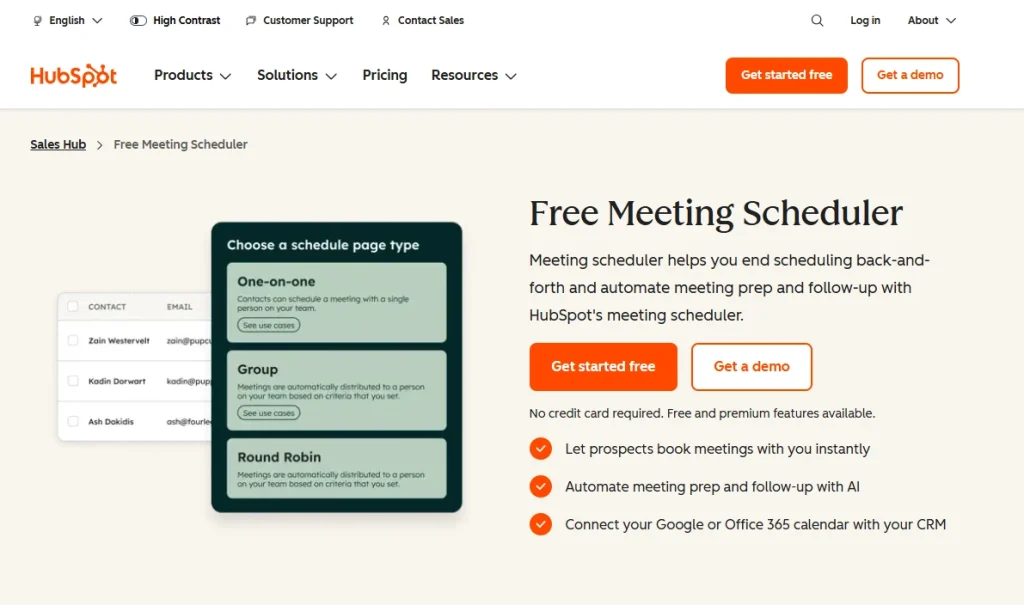
Overview. HubSpot Meeting Scheduler is the booking tool built into HubSpot Sales Hub, and its core value is that every booking becomes a CRM activity automatically — no sync layer, no integration to maintain. It’s free on HubSpot’s free CRM tier, and gained an AI meeting assistant that surfaces pre-call context and drafts follow-ups on paid tiers. Independent scoring sites rate it lower on features (3.7/5) and pricing (3.5/5) than ease of use, and the recurring complaint across reviews is consistent: it’s a capable scheduler only if you’re already paying for HubSpot, and its standalone depth — branding, page customization, SMS reminders — trails dedicated tools.
Key features
- Native logging: every booking creates or updates a HubSpot contact record automatically
- AI-powered pre-meeting prep, surfacing CRM context and suggested talking points
- AI-generated post-meeting follow-ups and next-step flags on paid tiers
- One-on-one, group, and round-robin meeting types
- Real-time two-way sync with Google Calendar and Office 365
Pros
- Genuinely free on HubSpot’s free CRM tier, no separate subscription required
- Zero sync risk: meetings and CRM records stay in lockstep by design
- AI meeting prep and follow-up genuinely save time for reps already in HubSpot daily
Cons
- Round-robin and team scheduling require paid Sales Hub tiers, roughly $45–$90 per seat per month
- No native payment collection at booking
- Reviewers describe it as “limited as a standalone scheduler,” with basic customization next to Calendly or Cal.com
Pricing
Free on HubSpot’s free CRM. Advanced AI features and team scheduling require Sales Hub Professional, priced from roughly $90 per seat per month billed annually — confirm current HubSpot pricing before budgeting, as tiers change.
Why choose HubSpot Meetings over Calendly?
If your team already runs HubSpot as the system of record, HubSpot Meetings removes the sync layer entirely — a meeting is a CRM activity the moment it’s booked, which Calendly can only approximate through its paid HubSpot integration.
Website. hubspot.com/products/sales/schedule-meeting
8. zcal
G2 Review: 4.5/5
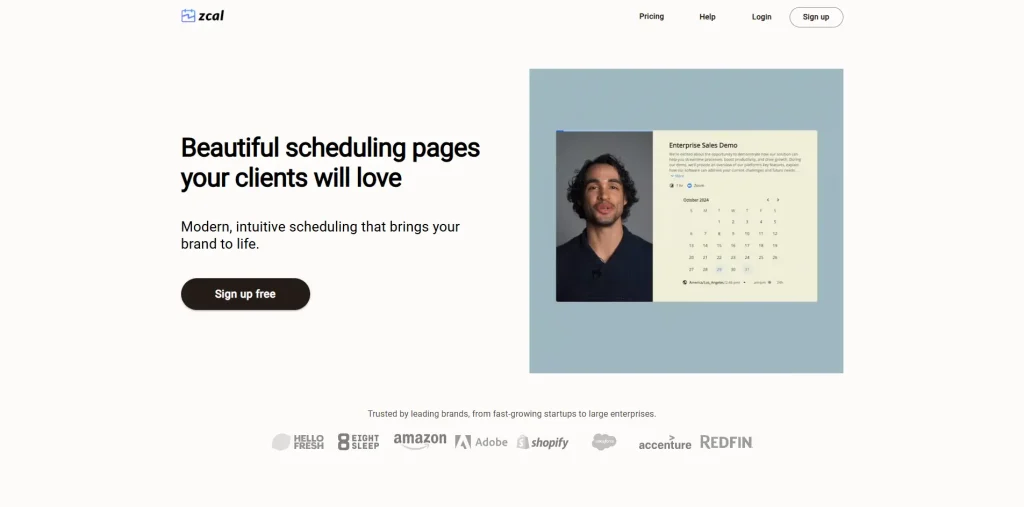
Overview. zcal is a design-forward scheduling tool aimed at making a booking page feel personal instead of generic. It supports cover photos, welcome videos, and per-link branding, and reviewers consistently call out how easy it is to set up and how far the free tier goes — unlimited invite links, meeting polls, calendar sync, and video conferencing integrations at no cost. The most common critique is feature depth at the edges: one G2 reviewer specifically wanted more video and payment-processing options, and the tool is a lighter pick for teams that need deep routing or CRM sync rather than a polished individual or small-team booking experience.
Key features
- Unlimited invite links and meeting polls on the free forever plan
- Personalized booking pages with cover photos, welcome videos, custom branding
- Round-robin and collective scheduling for team booking pages
- Google Meet, Zoom, and Microsoft Teams integration built in
- Custom questions and time zone detection per link
Pros
- Free tier is unusually generous: reviewers repeatedly note “no hidden costs” and a full feature set without a forced upgrade
- Setup and sharing are simple—reviewers describe onboarding as “a breeze”
- Personal branding touches, like a profile photo thumbnail on shared links, add a human element competitors skip
Cons
- Fewer video and payment processing options than reviewers want, per direct G2 feedback
- Small review base (under 20 on G2) makes it harder to judge long-term reliability at scale
- Not built for B2B routing or CRM-native account matching — it’s a scheduling page, not a revenue operations tool
Pricing
Free forever plan covers unlimited invite types, meeting polls, and calendar sync. zcal Pro is listed at $7/seat/month on G2 for additional features. Confirm current tiers directly, as pricing pages vary by source.
Why choose zcal over Calendly?
zcal matches or beats Calendly’s free tier on features — unlimited links and polls with no forced paywall — while adding visual personalization Calendly’s templated pages don’t offer, at a fraction of Calendly’s paid pricing when you do need to upgrade.
Website. zcal.co
How we have evaluated the tools (How to compare the best Calendly alternatives?)
Feature list looks similar for most Calendly alternatives. The difference appears when B2B teams implement the software. Calendly alternatives are evaluated against seven different criteria that we have collected from G2 reviews, their official documentation, and published pricing pages.
| S.no | Criteria | What We Looked At |
|---|---|---|
| 1 | Routing depth | Whether a tool goes beyond round-robin — territory rules, capacity limits, product-interest routing, or account-based matching — since basic rotation is the exact limitation B2B teams are trying to leave behind |
| 2 | CRM fit | Whether a tool syncs into Salesforce, HubSpot, or Dynamics 365, and how deep that sync runs — a logged activity versus a native record with routing and ownership rules attached |
| 3 | Reliability and real-world limitations | Recurring complaints in G2 reviews: calendar sync failures, mobile app glitches, features that exist on paper but need heavy configuration to actually work |
| 4 | Ease of use and setup time | First-time configuration weighed against ongoing admin load — a tool that’s simple for one user can still be heavy to roll out and maintain across a team |
| 5 | Support quality | Response time and depth of support, since this matters more after six months than during the sales demo; used G2’s direct quality-of-support score against Calendly where published |
| 6 | Pricing structure | Priced at the seat count and tier a B2B team would realistically need, not the entry-level homepage number, with flags where routing or team features sit behind a paid upgrade |
| 7 | Customer sentiment over time | Long-term reviews (six months or more of use) weighed over first-impression reviews, since early enthusiasm doesn’t always predict what a team says after a renewal cycle |
How to choose the right Calendly alternative
Decision guide
- Does the meeting need to go to a specific account owner in your CRM?
- Yes, shortlist LeadAngel or Chili Piper. If you run Dynamics 365, choose LeadAngel.
- Do SDRs book meetings for AEs after qualifying a lead?
- Yes, you need handoff scheduling (LeadAngel offline scheduling, Chili Piper Handoff).
- Is HubSpot your CRM, and are routing rules simple?
- Yes, start with HubSpot Meetings.
- Is the main issue Calendly’s per-seat price for round robin?
- Yes → Cal.com.
- Do you need payment at booking?
- Yes → Acuity, Lunacal, or Cal.com.
- Do you just need a better free link?
- Yes → zcal or Cal.com is free.
Conclusion
Calendly is a strong choice for individuals and small teams. It offers free and Standard plans and covers basic features that small businesses are fulfilled with. The software’s ease of use is genuinely hard to beat. But B2B teams do not find it a relevant fit for themselves, as they need advanced routing.
Calendly offers account-based routing in its Enterprise plan for $15,000 a year. The free plan only offers a single event type and no round-robin or collective meeting scheduling. Calendly’s routing logic does not include advanced routing techniques.
The right Calendly alternative depends on your real problem, and not the hype of the tool.
| Calendly Alternatives | What Problems It Solves |
| LeadAngel & Chili Piper | Advanced routing, inbound meeting scheduling, and improved speed to lead |
| Cal.com and Zcal | Cost-efficient, offers more features in free plans |
| Acuity Scheduling | Appointment and business payment problems |
| SavvuCal and LunaCal | Improves overall experience for invitee and booking page |
| HubSpot Meeting Scheduler | Best for teams that already use HubSpot |
See How LeadAngel Can Transform Your Lead Management
Curious to experience the power of LeadAngel firsthand? We understand!
We're offering a complimentary trial so you can explore LeadAngel's features at your own pace. Once you request a free trial, we'll schedule a personalized onboarding session to ensure you maximize the value of LeadAngel.
Ready to take your lead management strategy to the next level? Request your LeadAngel trial today!
In addition to exploring the platform, we recommend visiting our LeadAngel Help Center for in-depth guidance. Our dedicated customer support team is also available to answer any questions you may have at sales@leadangel.com.
FAQs
Cal.com, zcal, and HubSpot Meeting Scheduler are some of the few alternatives to Calendly. They all offer solid free plans.
zcal is known as the best free scheduling platform as it offers unlimited invite links, polls, and calendar sync at no cost.
Acuity wins for appointment-based businesses that need payments and packages. Whereas Calendly wins for simple, personal scheduling.
Teams switch from Calendly because of its lack of routing capabilities, limited free features in the free plan, and its pricing structure.
Before choosing an alternative to Calendly, try that software first. Book meetings from mobile and desktop and see if it has booked them correctly. Check reminders, notifications, and how it is affecting your workflow.