TL;DR
| LeadAngel vs Default comes down to one question: is the problem routing accuracy, or is it orchestration? LeadAngel is a CRM-native lead routing, lead-to-account matching, deduplication, and scheduling platform for Salesforce, HubSpot, and Microsoft Dynamics 365 with 99.7% match accuracy. Default is a broader orchestration platform — scheduling, enrichment, and routing on one data layer. Teams needing precise, multi-CRM routing without an admin to run it lean: LeadAngel Teams wanting one system for the whole inbound motion, with budget to match, lean Default. |
Key Takeaways
- • LeadAngel and Default both handle inbound lead routing and meeting scheduling, but they solve different problems—one is a routing-and-matching specialist, the other is a broader orchestration platform.
- • LeadAngel’s fuzzy matching hits 99.7% accuracy and runs natively across Salesforce, HubSpot, and Microsoft Dynamics 365. Default’s strongest integration is Salesforce.
- • Default scheduling software leans into AI-agent booking and a unified data layer. LeadAngel’s scheduling stays tied to routing — multi-timezone availability, offline handoffs, one-click SDR-to-AE booking.
- • Most teams looking at Default alternatives cite the same three things: routing logic that’s hard to audit, thin HubSpot support, and a platform fee that doesn’t make sense below a few hundred leads a month.
Is your problem routing accuracy, or is it everything else around routing?
That’s the real question behind LeadAngel vs Default.
Both platforms promise to fix and improve inbound routing and scheduling, but they go about it in almost opposite ways. LeadAngel was built as a routing and matching engine first, with scheduling attached to it. Default started closer to scheduling, then grew into a full orchestration layer with routing as one piece of a larger system.
That difference sounds small until you’re the one debugging why a $50k lead sat unassigned for six hours. So instead of stacking up feature lists, this breaks down what each platform actually does under the hood — matching, routing logic, scheduling, pricing — and which team each one was really built for.
What is LeadAngel?
LeadAngel is a lead-to-account matching, routing, scheduling, and sales acceleration platform built for RevOps and sales ops teams. Routing wasn’t added on later — it’s the reason the platform exists. That shows up in how it handles data: nothing gets shipped off to an external system for processing and synced back in. Matching and routing happen inside the CRM itself, respecting its native permissions.
It connects directly to Salesforce, HubSpot, and Microsoft Dynamics 365, and it pulls together several things that other tools usually split across separate products — fuzzy lead-to-account matching (up to 99.7% accuracy), round-robin and weighted routing, territory-based assignment, deduplication, on-the-spot SDR-to-AE handoff, calendar scheduling, and reporting on SLA compliance and misroutes.
What is Default?
Default is a revenue orchestration platform — scheduling, lead routing, enrichment, and workflow automation, all running on one data layer. It started life closer to a scheduling and routing tool, then grew into something bigger: a control layer that touches nearly every step from form fill to booked meeting.
The core idea is unified records. Every meeting books against real-time availability and live routing logic, and it accounts for work schedules, out-of-office blocks, and meeting buffers pulled straight from connected calendars. Routing runs through a feature called Queues, which supports both direct owner assignment and round-robin distribution, and the whole thing is built with AI agents in mind — they can book meetings directly through Default’s integrations.
LeadAngel vs Default: Feature Comparison
| Capability | LeadAngel | Default |
|---|---|---|
| Core Focus | Lead-to-account matching and routing, with scheduling and dedupe built in. | Scheduling and orchestration, with routing and enrichment layered on. |
| CRM coverage | Native to Salesforce, HubSpot, and Microsoft Dynamics 365. | Strongest on Salesforce; HubSpot integration noticeably thinner. |
| Lead-to-account matching | Fuzzy matching, up to 99.7% accuracy, runs inside the routing flow. | Deterministic person/company matching. |
| Routing logic | Round-robin, weighted, territory, capacity-aware, and custom no-code rules. | Branching rules by territory, round-robin, capacity-based, and account ownership via Queues. |
| Data deduplication | Built-in merge/delete/convert deduplication before records hit the CRM. | Not a core feature; enrichment-focused rather than dedupe-focused. |
| Scheduling | Calendar scheduling, on-the-spot handoff, offline event scheduling, multi-timezone support. | Scheduling with AI-agent booking and live availability sync. |
| Setup overhead | Built to run without a dedicated full-time admin. | Reviewers note routing logic takes real admin time to audit and maintain. |
| Pricing | Custom, tier-based pricing. | Earlier it was $750/month plus per-seat pricing; now the pricing is hidden. |
| G2 Review | 4.5 | 4.6 |
Default lead routing vs LeadAngel routing
Default lead routing runs on branching, no-code logic that checks work schedules, out-of-office status, and calendar availability before assigning anything. It is a real advantage for teams that need routing to respect rep bandwidth at the moment. That’s the core of what Default lead routing does well: it’s reactive to the calendar in a way a lot of older tools aren’t.
LeadAngel covers the same logic (round-robin, weighted, territory-based, check calendar availability, out-of-office status) and adds capacity-aware and fully custom rules on top. But the bigger difference is auditability. LeadAngel’s dashboards are built to show exactly why a lead landed where it did. That’s precisely the gap G2 reviewers keep flagging in Default’s routing logs.
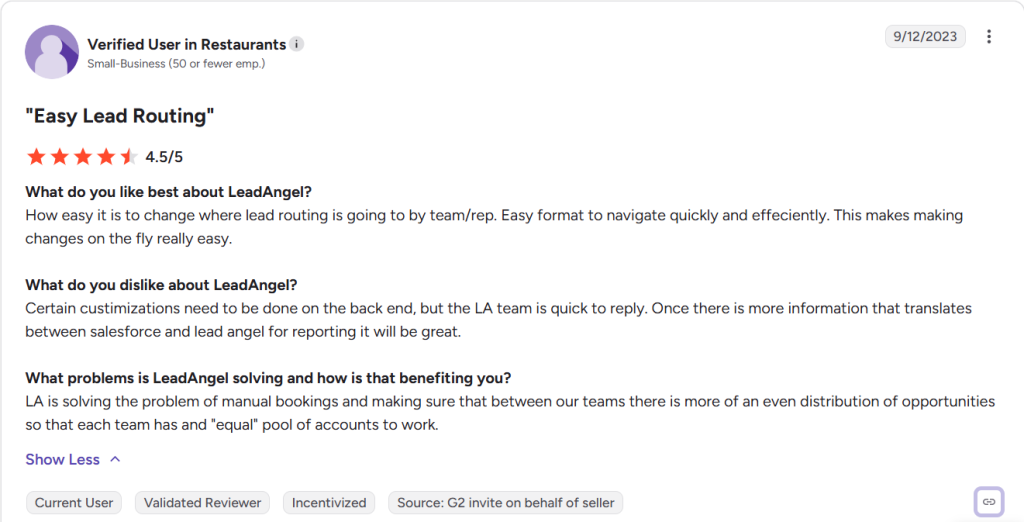
Source: https://www.g2.com/products/leadangel/reviews/leadangel-review-8600457
Default scheduling software vs LeadAngel scheduling
This is probably Default’s strongest card. Default scheduling software was built for AI agents to book directly through integrations, and every booking checks against live, unified records instead of a static calendar sync — genuinely forward-looking.
LeadAngel’s scheduling is not narrower, and it stays closer to daily operations: native Google Workspace and Microsoft 365 sync, multi-rep and multi-timezone availability, offline event scheduling, and one-click SDR-to-AE handoff without leaving the CRM.
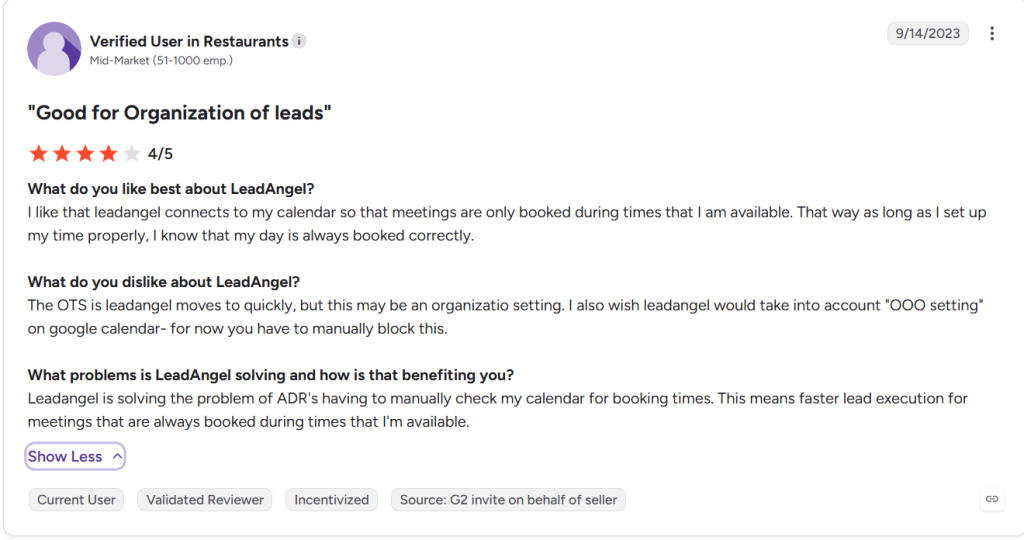
Source: https://www.g2.com/products/leadangel/reviews/leadangel-review-8614468
Lead To Account Matching Engine
Both platforms are trying to answer the same question: does this incoming lead belong to an account we already have? LeadAngel’s fuzzy matching runs inside the routing flow itself and catches the messy stuff — company-name variations, email domains, spelling differences — which is where the 99.7% accuracy figure comes from.
Default matches deterministically, checking person and company records against its unified data layer, but it doesn’t publish an independent accuracy number the way LeadAngel does.
Data hygiene
LeadAngel treats deduplication like a real feature, not an afterthought — records get merged, deleted, or converted before duplicates ever touch the CRM.
Default’s enrichment keeps records current across sources, but it doesn’t have the same dedicated dedupe layer. That matters a lot if duplicate accounts are already what’s breaking your routing rules.
LeadAngel vs Default Pricing Comparison
Neither LeadAngel nor Default publishes a full rate card, so what you’re really comparing is total cost of ownership.
LeadAngel uses custom, tier-based pricing across its Professional and Professional Plus plans, scoped to team size, CRM setup, and routing complexity. It is known as cost-effective and easy to maintain, and it works out especially well for mid-sized to enterprise teams.
Default takes the opposite approach: a reported platform fee of around $750/month, and extra cost per seat for routing and scheduling combined, with the final quote shaped by seat count, workflow complexity, and enrichment credit usage. That model makes the most sense for high-volume inbound teams that already have a dedicated admin and the budget to match.
For teams with the lead volume to justify a dedicated admin, Default’s fee pays for itself. Below that threshold, LeadAngel is usually cheaper overall, since routing, matching, dedupe, and scheduling all sit in one line item instead of a platform fee plus add-ons.
When & Who Should Choose LeadAngel?
LeadAngel is the stronger fit if most of this sounds like you:
- Speed-to-lead is costing you pipeline. Reps miss leads, or territory disputes eat into response time.
- You run more than one CRM. Salesforce, HubSpot, and Microsoft Dynamics 365 all need consistent routing, and Default’s HubSpot support lags well behind its Salesforce depth.
- Duplicate records keep breaking routing. LeadAngel dedupes before records ever hit the CRM.
- You don’t have a dedicated RevOps admin. LeadAngel’s built to run without one; Default’s routing logic needs more ongoing hands-on maintenance.
If you’re actively researching Default alternatives, LeadAngel is usually the one built to solve exactly this problem — routing accuracy — rather than orchestration breadth.
When & Who Should Choose Default?
Default is the stronger fit if most of this sounds like you:
- You want one system running the whole inbound motion. Form capture, enrichment, routing, and scheduling in a single control layer.
- You’re already running AI agents in your GTM stack. Default’s MCP access and agent-driven booking were built with exactly that in mind.
- Salesforce is your system of record. It’s where Default’s integration runs deepest, and where Default lead routing performs most reliably.
- Enrichment and unified data matter as much as routing. Default’s data layer, not just its routing rules, is really the point of the product.
| If this sounds like the team… | Best Fit | Why |
|---|---|---|
| Speed-to-lead is costing pipeline — reps miss leads or territory disputes slow response time | LeadAngel | Routing and matching are the whole product, not an add-on |
| Salesforce is the primary system of record | Default | Deepest native integration, most reliable routing performance |
| Running more than one CRM — Salesforce, HubSpot, and Dynamics 365 all need consistent routing | LeadAngel | Native, equally deep support across all three; Default’s HubSpot integration lags its Salesforce depth |
| Already running AI agents in the GTM stack | Default | MCP access and agent-driven booking are core to the product |
| Duplicate records keep breaking routing rules | LeadAngel | Built-in dedupe runs before records ever hit the CRM |
| Enrichment and unified data matter as much as routing itself | Default | The data layer is the product, not just the routing rules on top of it |
| No dedicated RevOps admin to maintain the tool day to day | LeadAngel | Built to run without one; Default’s routing logic needs more hands-on upkeep |
| Wants one system running the entire inbound motion — capture, enrichment, routing, scheduling | Default | Purpose-built as a single orchestration layer |
Conclusion
LeadAngel vs Default isn’t really about which platform is “better” in the abstract — it’s about which problem is actually costing you pipeline. If that’s routing accuracy, multi-CRM support, or predictable pricing, LeadAngel is the best choice for it.
If you want one broader system handling scheduling, enrichment, and routing together, and you’ve got the lead volume and admin capacity to run it well, Default earns what it charges.
Either way, it’s worth mapping your decision against the actual bottleneck that sent you looking for this comparison, not just the longer feature list.
Disclaimer: All third-party names, logos, content, and trademarks are the property of their respective owners. These references do not imply endorsement.
See How LeadAngel Can Transform Your Lead Management
Curious to experience the power of LeadAngel firsthand? We understand!
We're offering a complimentary trial so you can explore LeadAngel's features at your own pace. Once you request a free trial, we'll schedule a personalized onboarding session to ensure you maximize the value of LeadAngel.
Ready to take your lead management strategy to the next level? Request your LeadAngel trial today!
In addition to exploring the platform, we recommend visiting our LeadAngel Help Center for in-depth guidance. Our dedicated customer support team is also available to answer any questions you may have at sales@leadangel.com.
FAQs
LeadAngel is stronger for routing accuracy and auditability, with a 99.7% match rate and multi-CRM support. Default routing works fine.
LeadAngel ties scheduling directly to routing — multi-timezone, offline, handoff booking. Default's scheduling runs on a unified data layer built for AI-agent booking and real-time availability.
Default suits high-volume teams that want one orchestration layer for the whole funnel. LeadAngel suits teams scaling conversion through routing accuracy without adding a dedicated admin.
LeadAngel's native dashboards track SLA compliance, time-to-first-contact, and misroutes directly. Default sends real-time alerts, but reviewers say routing decisions are harder to audit.
LeadAngel includes built-in merge/delete/convert deduplication before records enter the CRM. Default leans on enrichment and unified records rather than a dedicated dedupe layer.